Chase the records that blew past their due date
Every morning, WebRun opens NocoDB, reads the date fields in the tables you nominate, finds the records now past their due date, groups them by the owner recorded on each, blocks catch-up time in Google Calendar for the worst backlogs, and sends the chase list to Telegram grouped by person.
- No credit card
- Under $0.01 per run
- Cancel anytime
How do I chase overdue records in my own database?
WebRun opens NocoDB every morning, reads the date fields in the tables you nominate, and finds the records now past due and not marked done. It groups them by owner with the days late on each, blocks catch-up time in Google Calendar for the biggest backlogs, and sends the chase list to Telegram.
- A tracker built in NocoDB actually chases people instead of holding data
- Every overdue record has a named owner and a day count
- The total overdue number falls day by day where the team can see it
Built for ops leads · small teams · project coordinators · no-code builders
What does WebRun do on every run?
The exact actions WebRun takes, in order - in plain language, so you can adjust anything.
-
WebRun signs in and gets to work
Opens
app.nocodb.comin a real browser with your saved login - no setup, no API keys. -
1
NocoDB - find records past their due date
nocodb.com
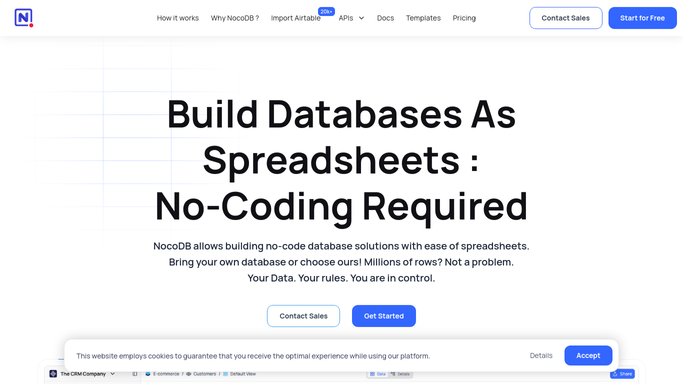
WebRun opens NocoDB to find records past their due date. - Open NocoDB and go to the bases and tables you nominated
- Read the date field on each record and compare it against today
- Keep the records past their date that are not already marked done
- Capture the record owner, how many days late it is, and the view it belongs to
Done when Every overdue record is listed with its owner and how late it is.
-
2
Google Calendar - block catch-up time
calendar.google.com How to Automate Google Calendar

WebRun opens Google Calendar to block catch-up time. - Open your calendar and block a catch-up slot for the owners with the largest backlogs
- Put the owner's name and the count of overdue records in the event title
- Only block time on calendars your team has shared for this
- Never invite a customer or anyone outside the team
Done when Catch-up time is booked against the biggest backlogs.
-
3
Telegram - send the chase list by owner
telegram.org How to Automate Telegram

WebRun opens Telegram to send the chase list by owner. - Send the team channel today's chase list grouped by owner
- Show each record, its due date, and how many days late it is
- Put the oldest overdue record at the top of each owner's group
- Show the total overdue count so the number falls day by day
Done when The team has today's overdue list grouped by owner in Telegram.
How is each run configured?
Secure by default
Connect once, stays signed in
WebRun signs in once and keeps each session in a persistent environment, so every run picks up right where it left off.
Every action is checked against this policy before it runs.
Questions, answered
Does it change my records?
No. WebRun reads the date fields and reports what is overdue. It edits no record, moves no due date, and marks nothing complete. Updating a record stays with its owner.
Does it message customers?
No. The chase list goes to your internal Telegram channel and calendar blocks land on team calendars only. WebRun contacts no customer or supplier named in a record.
Which tables does it watch?
Only the bases, tables, and views you nominate, and only the date field you point it at. Everything else in NocoDB is left alone.
Related templates
Put this on autopilot.
Turn it on in minutes - or have our team set it up for you.