Track your Navan travel spend for you
Every Monday, WebRun opens Navan, checks last week's trip bookings and submitted expense reports across the company, posts a spend scorecard by traveler and department to Slack, and sends a Telegram alert for any booking that fell outside travel policy.
- No credit card
- Under $0.01 per run
- Cancel anytime
How do I track weekly Navan travel spend and policy exceptions?
WebRun checks your company's Navan trip bookings and expense reports every Monday, posts a spend scorecard by traveler and department to Slack, and sends a Telegram alert for any booking outside travel policy, so finance catches a policy exception the week it happens instead of at expense audit time.
- Finance gets a spend scorecard every Monday instead of at month end
- Out of policy bookings get flagged the week they happen
- Department spend is comparable week over week
Built for Corporate finance teams · Travel and expense administrators · Procurement teams · Operations managers
What does WebRun do on every run?
The exact actions WebRun takes, in order - in plain language, so you can adjust anything.
-
WebRun signs in and gets to work
Opens
app.navan.com/loginin a real browser with your saved login - no setup, no API keys. -
1
Navan - check trip bookings and expense reports
navan.com
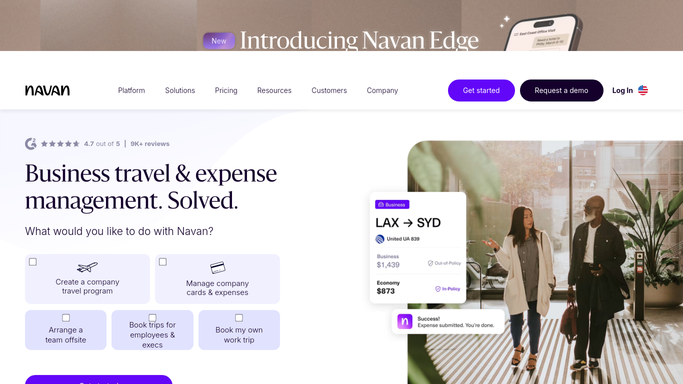
WebRun opens Navan to check trip bookings and expense reports. - Open the company dashboard on Navan
- Pull last week's trip bookings and submitted expense reports
- Flag any booking marked outside policy
Done when Every trip and expense report from last week has been reviewed.
-
2
Slack - post the weekly spend scorecard
slack.com How to Automate Slack

WebRun opens Slack to post the weekly spend scorecard. - Post the spend scorecard to the finance channel
- Break it down by traveler and department
- Compare against last week's total
Done when The finance channel has this week's spend scorecard.
-
3
Telegram - alert on policy exceptions
telegram.org How to Automate Telegram

WebRun opens Telegram to alert on policy exceptions. - Send an alert only for bookings flagged outside policy
- Include the traveler, the trip, and the policy rule involved
- Stay quiet when every booking was within policy
Done when A Telegram alert has gone out for every policy exception, and nothing else.
How is each run configured?
Secure by default
Connect once, stays signed in
WebRun signs in once and keeps each session in a persistent environment, so every run picks up right where it left off.
Every action is checked against this policy before it runs.
Questions, answered
Does WebRun book travel or approve expenses?
No. WebRun only reads existing bookings and submitted expense reports on Navan. Booking a trip or approving an expense is always done by a person.
Will Telegram alert on every booking?
No. It only fires for bookings flagged outside your travel policy. Everything within policy just shows in the weekly Slack scorecard.
Does it cover the whole company or just one team?
It covers whatever scope you give it, from one department to the full company account.
Related templates
Put this on autopilot.
Turn it on in minutes - or have our team set it up for you.