Chase QNAP devices that have gone offline
Every morning, WebRun opens myQNAPcloud, checks the connection status of every registered NAS device, emails the owner of anything offline more than 24 hours through Gmail, and logs the current status of every device to Airtable.
- No credit card
- Under $0.01 per run
- Cancel anytime
How do I find out when a QNAP NAS device goes offline?
WebRun checks myQNAPcloud every morning for NAS devices offline more than 24 hours, reading the last seen time and registered owner for each. It emails the owner through Gmail and logs the current status of every device to Airtable, so a disconnected NAS gets a same day chase instead of going unnoticed for days.
- Offline devices chased the same morning, not days later
- Chase emails go to the actual device owner, not a shared inbox
- Reconnected devices clear from the list automatically
Built for IT admins · small business owners · home lab users · managed service providers
What does WebRun do on every run?
The exact actions WebRun takes, in order - in plain language, so you can adjust anything.
-
WebRun signs in and gets to work
Opens
www.myqnapcloud.comin a real browser with your saved login - no setup, no API keys. -
1
myQNAPcloud - check device connection status
myqnapcloud.com
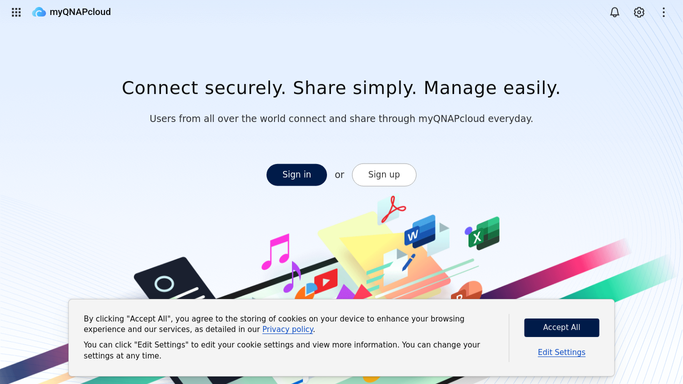
WebRun opens myQNAPcloud to check device connection status. - Open the device list and check remote connection status for each NAS
- Note how long any offline device has been unreachable
- Capture the registered owner for each device
Done when Every device has a current connection status.
-
2
Gmail - email the device owner
gmail.com How to Automate Gmail

WebRun opens Gmail to email the device owner. - Draft a short email to the owner of any device offline more than 24 hours
- Include the device name and last seen time
- Send it from your own account
Done when Every overdue device's owner has been emailed.
-
3
Airtable - log device status
airtable.com How to Automate Airtable

WebRun opens Airtable to log device status. - Log each device's status as a row with last seen time
- Mark whether an email chase was sent this run
- Update the row once a device reconnects
Done when Every device's current status is logged in Airtable.
How is each run configured?
Secure by default
Connect once, stays signed in
WebRun signs in once and keeps each session in a persistent environment, so every run picks up right where it left off.
Every action is checked against this policy before it runs.
Questions, answered
Will it restart or reconfigure the NAS remotely?
No. WebRun only reads connection status and emails the owner. Restarting or troubleshooting a device is left to your IT team.
Who receives the chase email?
The registered owner of that specific device, so the right person gets asked to check it rather than a general IT inbox.
What happens once a device reconnects?
It reads the live connection status each morning, so a reconnected device is marked resolved in Airtable and stops getting chased.
Related templates
Put this on autopilot.
Turn it on in minutes - or have our team set it up for you.