Turn completed moves into five-star reviews
Every morning, WebRun finds moves completed yesterday in Supermove, drafts a personalized review request email for each customer with links to your Google Business profile and other review sites, and alerts your team in Slack to approve and send.
- No credit card
- Under $0.01 per run
- Cancel anytime
How do I automatically ask moving customers for a review after their move?
WebRun checks Supermove each morning for moves completed the previous day and drafts a personalized review request email for each customer in Gmail. Customers with complaints or damage flags are automatically excluded. Your team reviews every draft before sending, capturing feedback while the move is still fresh.
- Every completed move gets a review request drafted within 24 hours
- Customers with complaints are automatically held back and flagged for care follow-up
- Review requests are personalized with the crew name, improving response rates
Built for moving companies · customer success teams · moving company owners
What does WebRun do on every run?
The exact actions WebRun takes, in order - in plain language, so you can adjust anything.
-
WebRun signs in and gets to work
Opens
app.supermove.comin a real browser with your saved login - no setup, no API keys. -
1
Supermove - find moves completed yesterday
supermove.com
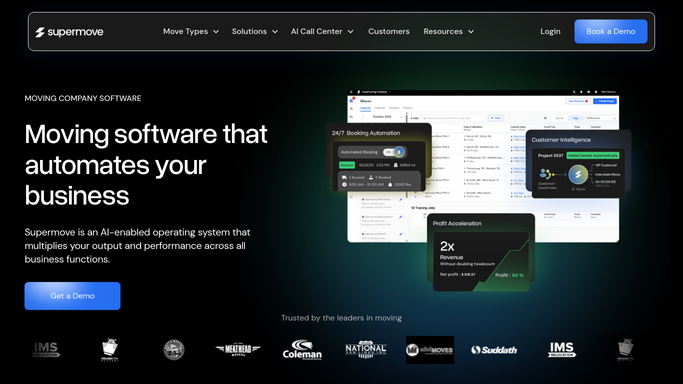
WebRun opens Supermove to find moves completed yesterday. - Open Supermove and filter jobs to those marked completed yesterday
- Capture the customer name, email, crew lead, origin, and destination for each job
- Skip any customer who has already received a review request for this job
- Flag any job that had a noted complaint or damage claim so those customers are held from the review request
Done when Every completed move from yesterday is listed, with complaint-flagged jobs excluded.
-
2
Gmail - draft personalized review request for review
gmail.com How to Automate Gmail

WebRun opens Gmail to draft personalized review request for review. - Draft a warm, personalized review request email for each customer
- Thank them by name and mention the crew lead who handled their move
- Include a direct link to your Google Business review page as the primary call to action
- Add a secondary link to Yelp or Angi if the company uses those platforms
- Leave every draft in Gmail for a team member to review and send
Done when A personalized review request draft is ready in Gmail for every qualifying completed move.
-
3
Slack - alert team to approve and send
slack.com How to Automate Slack

WebRun opens Slack to alert team to approve and send. - Post a daily summary to the customer success channel listing moves ready for review requests
- Indicate how many drafts are waiting in Gmail for approval
- Flag any moves that were excluded due to a complaint or damage note so the team can follow up separately
Done when The customer success team knows which review request drafts to send today.
How is each run configured?
Secure by default
Connect once, stays signed in
WebRun signs in once and keeps each session in a persistent environment, so every run picks up right where it left off.
Every action is checked against this policy before it runs.
Questions, answered
Will it send the review request to customers automatically after a move?
No. Every review request is drafted in Gmail and waits for a team member to approve and send. Customers receive nothing without human sign-off.
What happens if a customer had a complaint or damage issue on their move?
WebRun reads damage and complaint flags from Supermove and automatically excludes those customers from the review request batch. They appear in Slack separately so your team can follow up with care.
Which review platforms does it link to?
The draft includes a link to your Google Business review page by default. You can add Yelp, Angi, or any other platform by giving WebRun your profile URLs during setup.
Related templates
Put this on autopilot.
Turn it on in minutes - or have our team set it up for you.