Turn physician referrals into scheduled first visits
Throughout the day, as a new physician referral arrives by email, WebRun reads the referral, logs the referring provider, diagnosis, and requested service to a tracker sheet, drafts a scheduling outreach email to the patient and an acknowledgment to the referring office, and flags anything missing the details needed to book the first visit.
- No credit card
- Under $0.01 per run
- Cancel anytime
How do I turn physician referrals into scheduled first visits without losing any details?
WebRun reads each physician referral as it arrives by email, checks Healthie for an existing client match, logs the referring provider and diagnosis to a tracker sheet, and drafts both a patient scheduling outreach and a referring office acknowledgment in Gmail. Every draft is left unsent, so a human sends the first contact, not WebRun.
- Every referral is logged and acknowledged the same day it arrives, not whenever someone gets to email
- Missing details are flagged immediately instead of discovered at the first visit
- Returning patients are matched instead of duplicated as a new client
Built for MNT clinics accepting physician referrals · registered dietitian practices · outpatient nutrition clinics · practice front desk teams
What does WebRun do on every run?
The exact actions WebRun takes, in order - in plain language, so you can adjust anything.
-
WebRun signs in and gets to work
Opens
app.gethealthie.comin a real browser with your saved login - no setup, no API keys. -
1
Healthie - check for a matching or new client record
gethealthie.com How to Automate Healthie
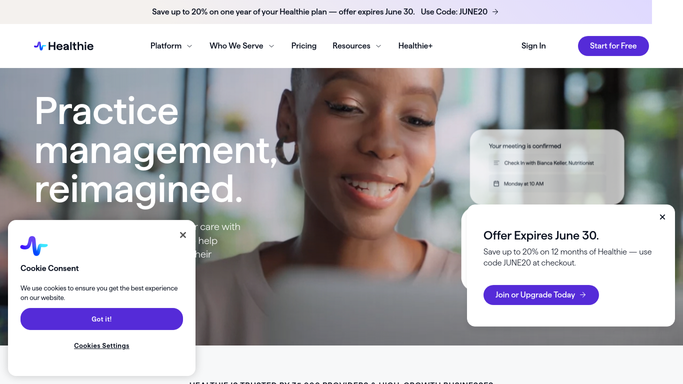
WebRun opens Healthie to check for a matching or new client record. - Check whether the referred patient already exists as a client in Healthie
- If not, start a new client record with the name and contact details from the referral
- Note the referring provider, diagnosis, and requested service on the record
Done when A Healthie record exists for the referred patient with the referral details attached.
-
2
Google Sheets - log the referral
google.com How to Automate Google Sheets

WebRun opens Google Sheets to log the referral. - Open the Physician Referral Tracker
- Add a row with the referring provider, date received, diagnosis, and requested service
- Flag any referral missing a phone number, insurance, or diagnosis needed to book
Done when Every referral received today is logged with its details, and any missing piece is flagged.
-
3
Gmail - draft the outreach and acknowledgment
gmail.com How to Automate Gmail

WebRun opens Gmail to draft the outreach and acknowledgment. - Draft a scheduling outreach email to the patient inviting them to book their first visit
- Draft a short acknowledgment to the referring office confirming the referral was received
- Leave both drafts unsent in Gmail for the front desk to review and send
Done when A patient outreach draft and a referring office acknowledgment draft exist for every referral, none of them sent.
How is each run configured?
Secure by default
Connect once, stays signed in
WebRun signs in once and keeps each session in a persistent environment, so every run picks up right where it left off.
Every action is checked against this policy before it runs.
Questions, answered
Will it contact the patient without review?
No. The scheduling outreach is left as an unsent Gmail draft. Your front desk reviews and sends it, WebRun never emails a patient on its own.
What if the referral is missing information?
It's flagged on the tracker instead of silently logged, so the front desk knows to call the referring office for the missing detail before booking.
Does it check for an existing client first?
Yes. It checks Healthie for a matching record before creating a new one, so a returning patient is not duplicated.
Related templates
Put this on autopilot.
Turn it on in minutes - or have our team set it up for you.