Know what you paid every vendor last week
Every Monday, WebRun signs into Melio, lists the payments that were sent, cleared, or failed in the last seven days, totals the spend by vendor and by funding account, sends you a WhatsApp recap of where the money went, and Telegrams you separately about failed or stuck payments that need attention.
- No credit card
- Under $0.01 per run
- Cancel anytime
How do I see what my business paid out last week?
WebRun reviews your Melio payment activity every Monday, totalling last week's outgoing payments by vendor and by funding account. It WhatsApps you the spend recap with the change against the previous week, and sends a separate Telegram message naming any payment that failed or is stuck in transit.
- The week's outgoing spend is known without opening the payments list
- Failed and stuck payments are separated from routine activity
- A jump against last week's total is visible in a single line
Built for small business owners · bookkeepers · finance managers · operations leads
What does WebRun do on every run?
The exact actions WebRun takes, in order - in plain language, so you can adjust anything.
-
WebRun signs in and gets to work
Opens
app.meliopayments.comin a real browser with your saved login - no setup, no API keys. -
1
Melio - review last week's payments
meliopayments.com
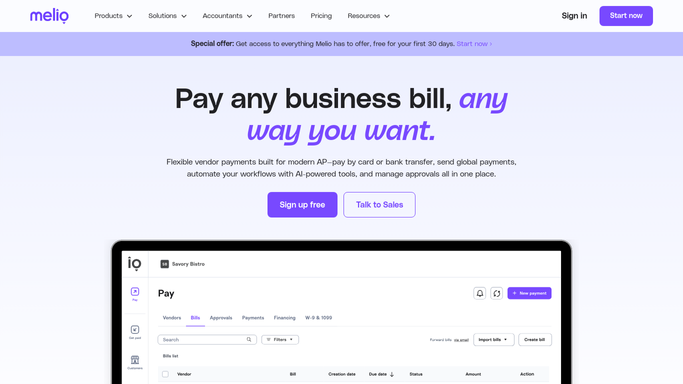
WebRun opens Melio to review last week's payments. - Sign into Melio and open the payments activity for the last seven days
- Capture every payment with its vendor, amount, funding account, delivery method, and status
- Total the spend per vendor and per funding account
- Identify payments that failed, were returned, or are still in transit past their expected delivery date
- Compare the week's total against the previous week so a jump is visible
Done when Every payment from the last week is listed with a status and totalled by vendor.
-
2
WhatsApp - send the vendor spend recap
whatsapp.com How to Automate WhatsApp

WebRun opens WhatsApp to send the vendor spend recap. - Send yourself a WhatsApp recap of the week's outgoing payments
- Lead with the total paid, then the top vendors by amount
- Show the split by funding account so you can see which card or bank carried the week
- Note the change against last week's total in one line
- Keep it to you and your bookkeeper. Never message a vendor
Done when You have last week's vendor spend recap in WhatsApp.
-
3
Telegram - flag failed and stuck payments
telegram.org How to Automate Telegram

WebRun opens Telegram to flag failed and stuck payments. - Send a Telegram message listing any payment that failed, was returned, or is stuck in transit
- Include the vendor, the amount, the status, and how many days past the expected delivery date it is
- Say nothing when every payment cleared, so the channel only fires on a real problem
- Never resend a failed payment, schedule a new one, or change a funding account. WebRun reports and a human pays
Done when Every failed or stuck payment has been flagged in Telegram.
How is each run configured?
Secure by default
Connect once, stays signed in
WebRun signs in once and keeps each session in a persistent environment, so every run picks up right where it left off.
Every action is checked against this policy before it runs.
Questions, answered
Can it send or resend a payment?
No. WebRun only reads your Melio activity. It never schedules a payment, resends a failed one, adds a vendor, or changes a funding account. Every movement of money stays a human action you take yourself.
Will it contact my vendors?
No. The recap goes to your own WhatsApp and the exception list to your own Telegram. WebRun never messages a vendor, chases a bank, or replies to a payment notification on your behalf.
What counts as a stuck payment?
One that has passed its expected delivery date without clearing, plus anything marked failed or returned. Those go in a separate Telegram message so they are not lost inside the weekly spend recap.
Related templates
Put this on autopilot.
Turn it on in minutes - or have our team set it up for you.