Draft invoices that split the fee between the parties
After a session, WebRun opens ADR Notable, reads the billable hours, rate, and the agreed fee-split ratio for the case, then drafts a separate invoice for each party's share in QuickBooks. Both invoices are saved as drafts for you to review and send, so the split is always right before anything goes out.
- No credit card
- Under $0.01 per run
- Cancel anytime
How do I draft mediation invoices that split the fee between the parties?
WebRun reads the billable hours, rate, and agreed fee split for a case in ADR Notable, then drafts a separate invoice for each party's share in QuickBooks, with line items and any retainer credited. Both invoices are saved as drafts for you to review and send, so the split is confirmed before anything is billed.
- Each party gets an accurate share invoice minutes after a session
- The agreed split and retainers are applied every time
- No invoice is sent or charged without your review
Built for mediators · ADR firms · arbitrators · practice bookkeepers
What does WebRun do on every run?
The exact actions WebRun takes, in order - in plain language, so you can adjust anything.
-
WebRun signs in and gets to work
Opens
www.adrnotable.comin a real browser with your saved login - no setup, no API keys. -
1
ADR Notable - read billable time and fee split
adrnotable.com How to Automate ADR Notable
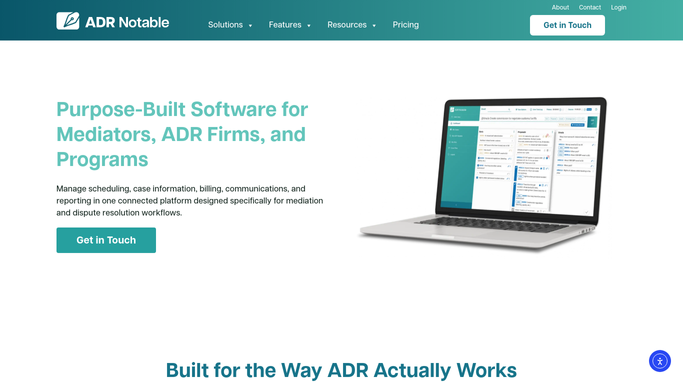
WebRun opens ADR Notable to read billable time and fee split. - Open the case in ADR Notable and read the logged billable time and rate
- Read the agreed fee-split arrangement between the parties, for example 50 and 50 or another ratio
- Confirm each party's billing contact and any retainer already applied
Done when The billable total, the split ratio, and each party's billing contact are captured.
-
2
QuickBooks - draft an invoice for each party's share
- Open QuickBooks and start a new invoice for each party as the customer
- Apply that party's share of the fee using the split ratio, with line items for time and rate
- Apply any retainer credit and reference the case number on each invoice
- Save both invoices as drafts in QuickBooks. Do not send or charge them automatically.
Done when A draft invoice for each party's share sits in QuickBooks, awaiting your review and send.
How is each run configured?
Secure by default
Connect once, stays signed in
WebRun signs in once and keeps each session in a persistent environment, so every run picks up right where it left off.
Every action is checked against this policy before it runs.
Questions, answered
Will it send invoices or charge the parties automatically?
No. Both invoices are saved as QuickBooks drafts. You review the split and the amounts, then send or charge them yourself, so nothing is billed to a party without your approval.
How does it apply the fee split?
It uses the split arrangement recorded on the case in ADR Notable, whether an even split or another ratio, and divides the billable total accordingly across one invoice per party.
What if a retainer was already collected?
It reads any retainer noted on the case and applies that credit to the relevant party's draft invoice, so each side is billed only for the balance actually owed.
Related templates
Put this on autopilot.
Turn it on in minutes - or have our team set it up for you.