Collect confidential position statements before each session
Each morning, WebRun reviews sessions coming up in ADR Notable, finds the parties who have not yet submitted a confidential position statement, drafts a secure submission request in Outlook to each side, and checks the Dropbox intake folder to track what has arrived. Requests are saved unsent for your review.
- No credit card
- Under $0.01 per run
- Cancel anytime
How do I automatically collect confidential position statements before a session?
WebRun reviews upcoming sessions in ADR Notable each morning and checks the secure Dropbox intake folder to see which confidential position statements have arrived. For each party still owing one, it drafts a private submission request in Outlook with the due date and upload steps. Every request stays unsent until you review and send it.
- Outstanding statements are chased before every session
- Each side's confidential content stays private throughout
- No request reaches counsel without your review
Built for mediators · ADR firms · arbitrators · case managers
What does WebRun do on every run?
The exact actions WebRun takes, in order - in plain language, so you can adjust anything.
-
WebRun signs in and gets to work
Opens
www.adrnotable.comin a real browser with your saved login - no setup, no API keys. -
1
ADR Notable - find sessions missing position statements
adrnotable.com How to Automate ADR Notable
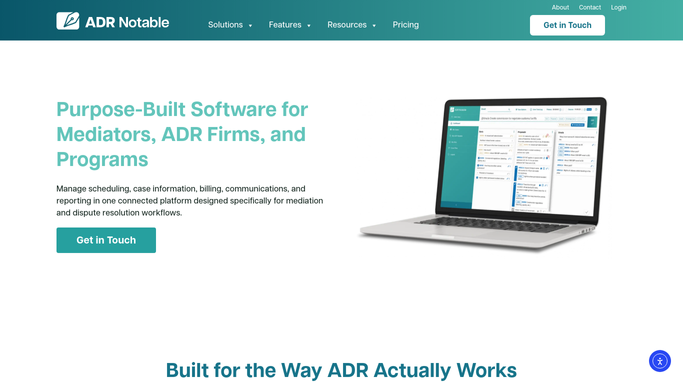
WebRun opens ADR Notable to find sessions missing position statements. - Open ADR Notable and list sessions scheduled in the next several days
- For each session, note both parties, their counsel, and the statement due date
- Mark which side still owes a confidential position statement
Done when Each upcoming session shows which party still owes a position statement and by when.
-
2
Dropbox - check which statements have arrived
dropbox.com How to Automate Dropbox

WebRun opens Dropbox to check which statements have arrived. - Open the secure Dropbox intake folder for confidential position statements
- Check which statements have arrived and match each to its case and party
- Keep the parties whose statement is still missing from the folder
Done when Arrived statements are matched to cases and the still-outstanding parties are confirmed.
-
3
Outlook - draft a confidential submission request
outlook.com How to Automate Outlook

WebRun opens Outlook to draft a confidential submission request. - Draft a courteous, confidential submission request in Outlook to the party or counsel still owing a statement
- State the due date and the secure upload instructions, and keep the other side's content private
- Save each request as an unsent Outlook draft. Do not send anything to counsel automatically.
Done when A submission request draft exists in Outlook for every outstanding party, awaiting your send.
How is each run configured?
Secure by default
Connect once, stays signed in
WebRun signs in once and keeps each session in a persistent environment, so every run picks up right where it left off.
Every action is checked against this policy before it runs.
Questions, answered
Will it email counsel without me?
No. Every submission request is saved as an unsent Outlook draft. You review the recipient and wording before sending, so no message reaches a party or counsel without your explicit approval.
Does one side ever see the other's confidential statement?
No. WebRun only tracks whether each statement has arrived and drafts a request to the party who still owes one. It never forwards, quotes, or exposes one side's confidential content to the other.
How does it know a statement was submitted?
It checks the secure Dropbox intake folder each run and matches arrived files to their case and party, so anyone who has already submitted is dropped and no duplicate request is drafted.
Related templates
Put this on autopilot.
Turn it on in minutes - or have our team set it up for you.