Set up your MAX business channel step by step
Every morning until setup is complete, WebRun opens your MAX account, checks your business channel against a launch checklist covering profile details, verification, and your first broadcast post, logs each item's status to Airtable, and emails you a Gmail summary of what's done and what's still outstanding.
- No credit card
- Under $0.01 per run
- Cancel anytime
How do I track my MAX business channel launch checklist?
WebRun checks your MAX business channel every morning against a launch checklist covering profile details, verification, and your first broadcast post. It logs each item's status to Airtable and emails you a Gmail summary of what's done and what's still blocking launch, so setup does not stall on a forgotten step.
- Every setup step is checked every morning until launch
- Nothing about the launch checklist relies on memory
- You get one clear email instead of checking MAX manually
Built for Businesses launching on MAX · marketing teams · social media managers · Russian market brands
What does WebRun do on every run?
The exact actions WebRun takes, in order - in plain language, so you can adjust anything.
-
WebRun signs in and gets to work
Opens
max.ruin a real browser with your saved login - no setup, no API keys. -
1
MAX - check channel setup status
max.ru
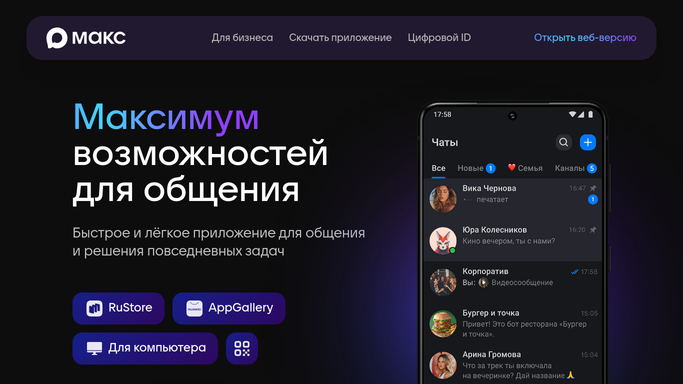
WebRun opens MAX to check channel setup status. - Open your MAX account and go to the business channel settings
- Check profile details, verification status, and whether a first post is published
- Note which checklist items are still incomplete
Done when Every checklist item's current status is captured.
-
2
Airtable - log checklist progress
airtable.com How to Automate Airtable

WebRun opens Airtable to log checklist progress. - Open the channel launch tracker base
- Update each checklist item's status
- Mark the launch date once every item is complete
Done when The Airtable tracker reflects today's setup status.
-
3
Gmail - email the setup summary
gmail.com How to Automate Gmail

WebRun opens Gmail to email the setup summary. - Email you a summary of what's done and what's outstanding
- List the specific items still blocking launch
- Skip the email once the checklist is fully complete for three days running
Done when You have a Gmail summary of today's setup status.
How is each run configured?
Secure by default
Connect once, stays signed in
WebRun signs in once and keeps each session in a persistent environment, so every run picks up right where it left off.
Every action is checked against this policy before it runs.
Questions, answered
Does WebRun publish anything to my MAX channel on its own?
No. It only checks your channel's setup status. Publishing your first post or changing channel settings stays something you do yourself in MAX.
What counts as a complete setup?
Your profile details filled in, the channel verified, and a first post published. WebRun checks all three each morning until every item is checked off.
Do I keep getting emails after setup is finished?
No. Once every checklist item stays complete for a few days running, the daily Gmail summary stops.
Related templates
Put this on autopilot.
Turn it on in minutes - or have our team set it up for you.