Rebook past sealing clients each season
Every Monday, WebRun reviews completed sealing and waterproofing jobs in ScopeTakeoff, finds clients whose treatment is nearing the end of its service life, drafts a seasonal rebooking campaign in Mailchimp addressed to that segment, and posts you a Slack note so you can review and send it.
- No credit card
- Under $0.01 per run
- Cancel anytime
How do I rebook past masonry sealing clients each season automatically?
Every Monday, WebRun reviews completed sealing jobs in ScopeTakeoff and finds clients whose treatment is nearing the end of its service life. It drafts a seasonal rebooking campaign in Mailchimp targeting that segment and posts you a Slack note with the segment size and value, leaving the campaign unsent so you approve every send.
- Past sealing clients get a timely reseal offer each season
- Repeat revenue is captured before treatments fully lapse
- Every campaign is reviewed before it reaches a client
Built for masonry restoration firms · waterproofing contractors · sealing specialists · marketing coordinators
What does WebRun do on every run?
The exact actions WebRun takes, in order - in plain language, so you can adjust anything.
-
WebRun signs in and gets to work
Opens
app.scopetakeoff.comin a real browser with your saved login - no setup, no API keys. -
1
ScopeTakeoff - find sealing due for refresh
scopetakeoff.com How to Automate ScopeTakeoff
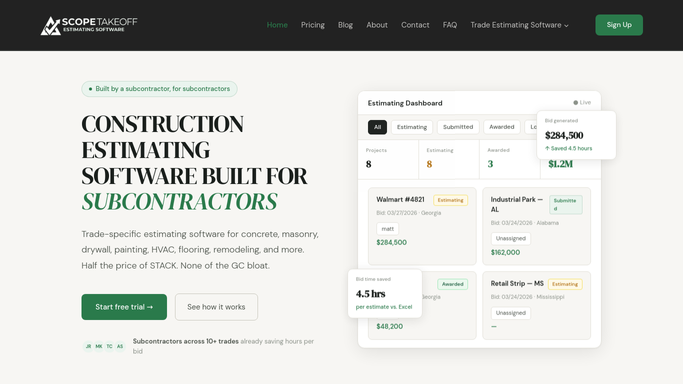
WebRun finds past sealing jobs due for a refresh in ScopeTakeoff. - Open ScopeTakeoff and list completed sealing and waterproofing jobs
- Find jobs whose treatment is nearing the end of its typical service life
- Capture the client, property, product used, and completion date
- Skip clients already contacted for a reseal this season
Done when Every client due for a sealing refresh is listed with the job detail.
-
2
Mailchimp - draft the outreach
mailchimp.com How to Automate Mailchimp

WebRun drafts a seasonal rebooking campaign in Mailchimp and leaves it unsent. - Open Mailchimp and build a segment of clients due for a reseal
- Draft a seasonal rebooking email that names the treatment and the property benefit
- Add a clear call to schedule a fresh sealing assessment
- Save the campaign as a draft and do not schedule or send it
- Leave sending for you to approve after review
Done when A seasonal rebooking campaign is drafted in Mailchimp, unsent, targeting the due segment.
-
3
Slack - flag it for review
slack.com How to Automate Slack

WebRun tells you in Slack that the rebooking campaign is ready to review. - Post a note to your Slack channel that the campaign is ready
- Include how many clients are in the segment and the estimated rebook value
- Link to the Mailchimp draft for a final review before sending
Done when You have a Slack note with a link to review and send the campaign.
How is each run configured?
Secure by default
Connect once, stays signed in
WebRun signs in once and keeps each session in a persistent environment, so every run picks up right where it left off.
Every action is checked against this policy before it runs.
Questions, answered
Will it email past clients without my approval?
No. WebRun builds the segment and drafts the campaign in Mailchimp but leaves it unsent. You review the copy and the recipient list and send it yourself, so no client is contacted without your say-so.
How does it decide who is due for a reseal?
It reads completed sealing and waterproofing jobs in ScopeTakeoff and finds clients whose treatment is nearing the end of its typical service life, skipping anyone already contacted this season.
Can it match our branding and offer?
Yes. Give WebRun your template and seasonal offer and it drafts the Mailchimp campaign in your own branding rather than a generic layout, ready for you to tweak before sending.
Related templates
Put this on autopilot.
Turn it on in minutes - or have our team set it up for you.