Convert trial students into paying members
Every morning, WebRun opens Spark Membership, finds trials that ended in the last 24 hours, drafts a personalized follow-up email for each prospect, and posts your front desk a Slack prompt with a short note on each trial so you can close the conversation while the experience is still fresh.
- No credit card
- Under $0.01 per run
- Cancel anytime
How do I automatically follow up with trial students to convert them to members?
Every morning, WebRun opens Spark Membership, finds trials completed in the last 24 hours, and drafts a personalized follow-up email for each prospect in Gmail. It then prompts your front-desk team in Slack with each prospect's details, so staff can review, personalize, and send while the trial experience is still fresh.
- Every trial prospect gets a personalized follow-up within 24 hours
- Staff spend seconds approving drafts instead of writing emails from scratch
- Prospects who already joined are skipped automatically
Built for martial arts schools · dojos · BJJ academies · kickboxing studios · MMA gyms
What does WebRun do on every run?
The exact actions WebRun takes, in order - in plain language, so you can adjust anything.
-
WebRun signs in and gets to work
Opens
app.sparkmembership.comin a real browser with your saved login - no setup, no API keys. -
1
Spark Membership - find completed trials
sparkmembership.com
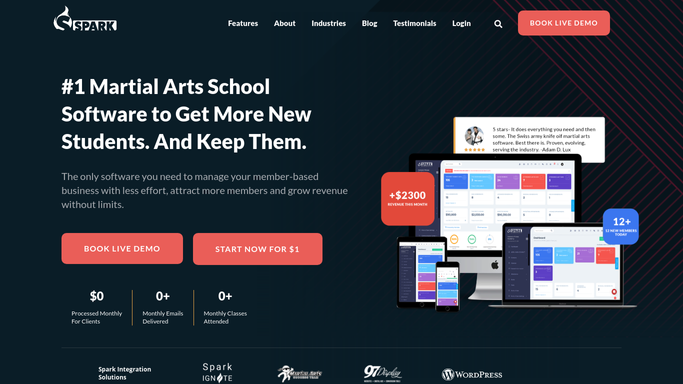
WebRun opens Spark Membership to find completed trials. - Open Spark Membership and filter prospects to trials completed in the last 24 hours
- Capture each prospect's name, email, trial class type, and instructor notes
- Note whether the prospect has any outstanding follow-up flagged by the instructor
- Skip prospects who already signed a membership agreement
Done when Every completed trial from the last 24 hours is listed with the prospect's details and notes.
-
2
Gmail - draft follow-up emails
gmail.com How to Automate Gmail

WebRun opens Gmail to draft follow-up emails. - Draft a warm, personalized follow-up email for each trial prospect
- Reference the class they attended and include clear next steps for joining
- Add the relevant membership options and pricing as discussed during the trial
- Leave every draft unsent in Gmail for a staff member to review and personalize before sending
Done when A follow-up draft is ready in Gmail for every completed trial, awaiting staff approval.
-
3
Slack - prompt front-desk team
slack.com How to Automate Slack

WebRun opens Slack to prompt front-desk team. - Post a prompt to the front-desk channel listing today's trial completions
- Include each prospect's name, class type, and a note from the instructor
- Remind the team to review and send each draft within the day
Done when The front-desk team has today's trial follow-up list in Slack.
How is each run configured?
Secure by default
Connect once, stays signed in
WebRun signs in once and keeps each session in a persistent environment, so every run picks up right where it left off.
Every action is checked against this policy before it runs.
Questions, answered
Will it send the follow-up email without my staff reviewing it?
No. Every follow-up email is drafted and left unsent in Gmail. A staff member reads, personalizes if needed, and sends it, so every prospect gets a human touch.
What if the prospect already signed up during or after the trial?
WebRun checks the membership status in Spark Membership before each run and skips any prospect who has already converted to a paid membership.
Can it use notes the instructor added during the trial?
Yes. If an instructor added notes to the prospect's record in Spark Membership, WebRun reads them and surfaces them in the Slack prompt so the front-desk team has context when they follow up.
Related templates
Put this on autopilot.
Turn it on in minutes - or have our team set it up for you.