Onboard new students from day one
When a new student signs up in Spark Membership, WebRun captures their details, drafts a personalized welcome email with their first class details and school information, adds the intro class to Google Calendar, and pings the assigned instructor in Slack so the first experience is warm and well-prepared.
- No credit card
- Under $0.01 per run
- Cancel anytime
How do I automatically onboard new martial arts students when they sign up?
When a new student signs up in Spark Membership, WebRun captures their details, drafts a personalized welcome email in Gmail for staff review, adds the first class to Google Calendar as an invite, and alerts the assigned instructor in Slack. Every new student gets a warm, prepared first impression from day one.
- Every new student receives a personalized welcome before their first class
- Instructors are alerted with student details so the first class is prepared
- First-class calendar invites are created automatically without manual admin
Built for martial arts schools · dojos · BJJ academies · karate studios · kickboxing studios
What does WebRun do on every run?
The exact actions WebRun takes, in order - in plain language, so you can adjust anything.
-
WebRun signs in and gets to work
Opens
app.sparkmembership.comin a real browser with your saved login - no setup, no API keys. -
1
Spark Membership - detect new student signup
sparkmembership.com
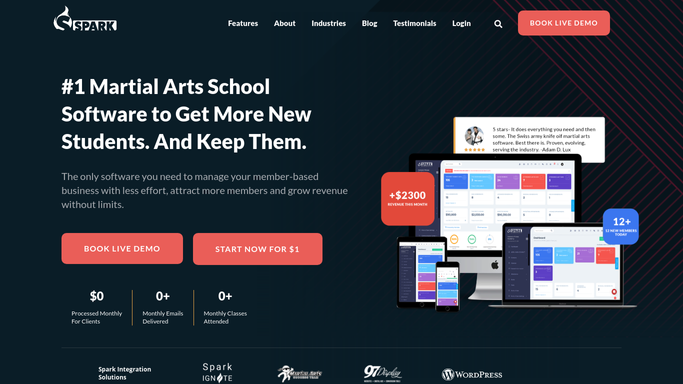
WebRun opens Spark Membership to detect new student signup. - Detect new student records created in Spark Membership
- Capture the student's name, email, phone, membership type, and start date
- Identify the assigned instructor and the scheduled first class
- Note any special notes or goals the student entered during signup
Done when The new student's details, membership type, and first class are captured.
-
2
Gmail - draft welcome email
gmail.com How to Automate Gmail

WebRun opens Gmail to draft welcome email. - Draft a warm welcome email addressed to the new student by name
- Include their first class time, location, what to bring, and parking or entry instructions
- Add a short introduction to the school's culture and what to expect
- Leave the draft unsent for a staff member to review and send
Done when A personalized welcome draft is in Gmail ready for staff approval.
-
3
Google Calendar - add intro class to calendar
calendar.google.com How to Automate Google Calendar

WebRun opens Google Calendar to add intro class to calendar. - Create a calendar event for the student's first intro class
- Include the class name, time, instructor, and location
- Send a calendar invite to the student's email address
Done when The intro class appears on the student's calendar with all relevant details.
-
4
Slack - alert assigned instructor
slack.com How to Automate Slack

WebRun opens Slack to alert assigned instructor. - Post a new student alert to the instructor channel
- Include the student's name, membership type, first class date, and any personal notes from signup
- Tag the assigned instructor so they see the alert promptly
Done when The assigned instructor has the new student's details in Slack before the first class.
How is each run configured?
Secure by default
Connect once, stays signed in
WebRun signs in once and keeps each session in a persistent environment, so every run picks up right where it left off.
Every action is checked against this policy before it runs.
Questions, answered
Will it send the welcome email to the student automatically?
No. The welcome email is drafted in Gmail and left unsent for a staff member to review. The calendar invite is added automatically, but the email only goes out after human approval.
What if the new student has not been assigned an instructor yet?
The Slack alert is still posted to the instructor channel without a specific tag, prompting the team to assign one. The draft and calendar entry are created regardless of instructor assignment.
Can it handle different membership types with different welcome content?
Yes. The draft pulls the student's membership type from Spark Membership, so you can configure different welcome messaging for youth programs, adult programs, or trial memberships.
Related templates
Put this on autopilot.
Turn it on in minutes - or have our team set it up for you.