Catch every invoice still missing its e-invoice IRN
Every couple of hours, WebRun opens Marg ERP, lists GST invoices needing an e-invoice that still have no IRN, prepares each one but leaves it unsubmitted for approval, checks Tally so none reach a GST return without one, and alerts accounts on Telegram.
- No credit card
- Under $0.01 per run
- Cancel anytime
How do I track GST invoices still missing an e-invoice IRN?
Every couple of hours WebRun opens Marg ERP, finds GST invoices that need an e-invoice but still have no IRN, and prepares each one for submission. It checks Tally so nothing without an IRN reaches a return, and alerts your accounts team on Telegram, so every e-invoice gets filed on time by a person, not missed.
- No GST invoice reaches a return without its IRN
- Missing e-invoices are caught within hours, not at month end
- Accounts gets one pending list instead of cross-checking two systems
Built for FMCG distributors · pharma wholesalers · GST compliance teams · accounts teams
What does WebRun do on every run?
The exact actions WebRun takes, in order - in plain language, so you can adjust anything.
-
WebRun signs in and gets to work
Opens
www.margcompusoft.comin a real browser with your saved login - no setup, no API keys. -
1
Marg ERP - find invoices missing an e-invoice IRN
margcompusoft.com How to Automate Marg ERP
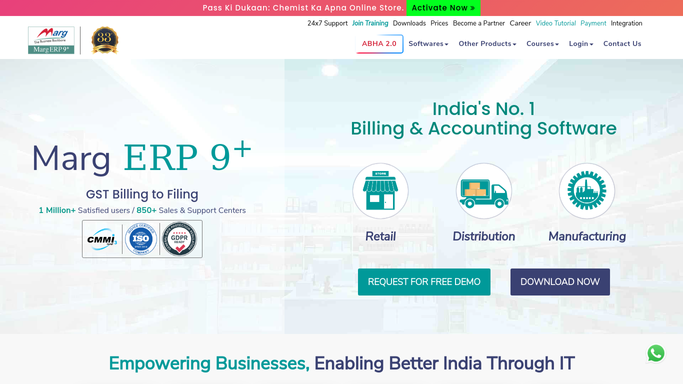
WebRun opens Marg ERP to find invoices missing an e-invoice IRN. - Open Marg ERP and list GST invoices raised today that require an e-invoice
- Flag any invoice that has no IRN or QR code recorded against it
- Prepare the e-invoice data for each but leave it unsubmitted for a person to file on the IRP
Done when Every invoice needing an e-invoice is prepared and queued for approval.
-
2
Tally - check nothing reaches the GST return without one
tallysolutions.com

WebRun opens Tally to check nothing reaches the GST return without one. - Open Tally and check which invoices have already been pulled into the GST return workpapers
- Match each one back to its Marg ERP IRN status
- Flag any invoice heading into a return with no IRN recorded
Done when No invoice without an IRN is sitting in the return workpapers unflagged.
-
3
Telegram - alert accounts to what still needs submitting
telegram.org How to Automate Telegram

WebRun opens Telegram to alert accounts to what still needs submitting. - Send accounts a short list of invoices still missing an IRN
- Put the oldest and highest value invoices first
- Never file an e-invoice on the portal. WebRun only queues it for a person to submit
Done when Accounts has the pending e-invoice list on Telegram.
How is each run configured?
Secure by default
Connect once, stays signed in
WebRun signs in once and keeps each session in a persistent environment, so every run picks up right where it left off.
Every action is checked against this policy before it runs.
Questions, answered
Will it file e-invoices on the government portal by itself?
No. WebRun prepares each e-invoice and queues it, but a person always reviews and submits it on the IRP. Government filing is irreversible, so it never submits one on its own.
How is this different from an e-way bill tracker?
It tracks a different GST requirement. E-invoicing registers the invoice itself for an IRN and QR code, while an e-way bill covers the movement of goods, so a shipment may need one, the other, or both.
What does checking Tally add?
It confirms that no invoice missing an IRN has already been pulled into your GST return workpapers, catching a compliance gap before your return is filed, not after.
Related templates
Put this on autopilot.
Turn it on in minutes - or have our team set it up for you.