Chase owners of out-of-date Lucidchart diagrams
Every Monday, WebRun opens Lucidchart, finds the documents that have not been edited inside your staleness window, drafts a short SMS nudge to each owner in Twilio for you to approve, and posts the full stale list to Telegram.
- No credit card
- Under $0.01 per run
- Cancel anytime
How do I find Lucidchart diagrams that are out of date?
WebRun reviews your Lucidchart documents every Monday and finds the ones nobody has edited inside your staleness window. It drafts a short SMS nudge to each owner in Twilio for you to approve, then posts the full stale list to Telegram grouped by owner, so old diagrams get refreshed instead of quietly rotting.
- Out-of-date diagrams get an owner nudge every week
- Nothing is texted until you approve the wording
- The oldest documents surface first instead of sinking in the folder list
Built for design teams · solution architects · operations teams · documentation owners
What does WebRun do on every run?
The exact actions WebRun takes, in order - in plain language, so you can adjust anything.
-
WebRun signs in and gets to work
Opens
lucid.app/users/loginin a real browser with your saved login - no setup, no API keys. -
1
Lucidchart - find out-of-date documents
lucid.app
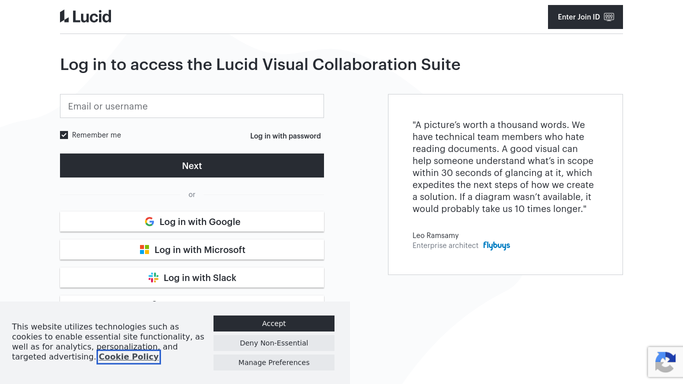
WebRun opens Lucidchart to find out-of-date documents. - Open Lucidchart and sort your team documents by last modified date
- List every document older than your staleness window, for example 90 days
- Capture the document name, its owner, the last edit date, and the folder it lives in
- Skip archived documents and anything already marked as a finished reference
Done when Every stale document is listed with its owner and last edit date.
-
2
Twilio - draft a nudge to each owner
twilio.com How to Automate Twilio

WebRun opens Twilio to draft a nudge to each owner. - Open Twilio and prepare one short SMS per owner listing their stale diagrams
- Keep the wording brief and factual: the document name, how long since the last edit, and a link
- Leave every message queued as a draft for you to review. Nothing is sent until you approve it
- Group several stale documents from the same owner into a single message so nobody gets a burst of texts
Done when One approved-pending SMS is queued per owner, and no message has been sent.
-
3
Telegram - post the stale list
telegram.org How to Automate Telegram

WebRun opens Telegram to post the stale list. - Post the full stale list to your design or ops channel
- Group it by owner and put the oldest documents first
- Note how many nudges are waiting for your approval in Twilio
Done when The stale diagram list is in Telegram, sorted oldest first.
How is each run configured?
Secure by default
Connect once, stays signed in
WebRun signs in once and keeps each session in a persistent environment, so every run picks up right where it left off.
Every action is checked against this policy before it runs.
Questions, answered
Will it text people without my approval?
No. Every SMS is left queued as a draft in Twilio and only goes out after you approve it. WebRun writes the wording and picks the recipient, but the send is always a human decision.
Will it edit or delete my Lucidchart documents?
No. WebRun only reads the document list and the last modified dates in Lucidchart. It never opens a canvas to edit, never archives, and never deletes anything.
Can I change what counts as stale?
Yes. Set the window to whatever suits your team, for example 30, 90, or 180 days since the last edit, and WebRun applies it on every Monday run.
Related templates
Put this on autopilot.
Turn it on in minutes - or have our team set it up for you.