Get a weekly pharmacist and technician utilization digest for capacity planning
Every Monday, WebRun opens FrameworkLTC, pulls the prior week's production metrics for each pharmacist and technician including fills verified, orders entered, and hours logged, aggregates the data into a utilization summary by role and shift, logs the full detail to Google Sheets, and posts a Slack digest to the pharmacy director so staffing decisions for the coming week are backed by real throughput data.
- No credit card
- Under $0.01 per run
- Cancel anytime
How do I automatically get a weekly pharmacist and technician utilization report from my LTC pharmacy system?
WebRun pulls FrameworkLTC production metrics every Monday for every pharmacist and technician on staff, aggregates fills verified, orders entered, and hours logged into a utilization summary by role and shift in Google Sheets, and posts a Slack digest to the pharmacy director so workforce planning decisions are backed by real throughput data each week.
- Pharmacy director has a data-backed utilization summary before the Monday planning meeting
- Capacity gaps and overtime risks are visible before they become scheduling problems
- Multi-site pharmacies can compare throughput across locations in a single weekly digest
Built for long-term care pharmacy directors · LTC pharmacy operations managers · pharmacy staffing coordinators · multi-site pharmacy ownership groups
What does WebRun do on every run?
The exact actions WebRun takes, in order - in plain language, so you can adjust anything.
-
WebRun signs in and gets to work
Opens
www.frameworkltc.comin a real browser with your saved login - no setup, no API keys. -
1
FrameworkLTC - pull prior week production metrics by staff member
frameworkltc.com How to Automate FrameworkLTC
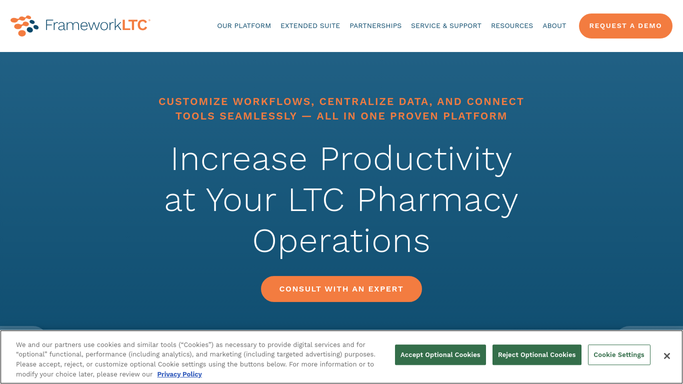
WebRun opens FrameworkLTC to pull prior week production metrics by staff member. - Open FrameworkLTC and navigate to the production and workflow reporting section
- Pull the prior week's metrics for each active pharmacist and technician: fills verified, orders entered, queue wait times, and hours logged
- Identify staff members with throughput significantly above or below the team average
- Flag any shift where production volume suggests overtime or understaffing
Done when Prior week production metrics are captured for all active staff by role and shift.
-
2
Google Sheets - aggregate utilization data by role and shift
google.com How to Automate Google Sheets

WebRun opens Google Sheets to aggregate utilization data by role and shift. - Open the staff utilization tracking Google Sheet
- Append last week's metrics in a new dated tab: fills per hour, verification counts, and total hours by staff member
- Calculate team averages and highlight outliers above 120% or below 80% of average throughput
Done when The Google Sheet has last week's utilization data with team averages and outliers highlighted.
-
3
Slack - post staffing digest to pharmacy director
slack.com How to Automate Slack

WebRun opens Slack to post staffing digest to pharmacy director. - Post a Monday staffing digest to the pharmacy director's Slack channel with last week's team throughput summary
- Highlight any shifts that ran above capacity or below minimum production thresholds
- Include a link to the Google Sheet for the full staff-level detail
Done when The pharmacy director has the weekly utilization digest in Slack before the Monday planning meeting.
How is each run configured?
Secure by default
Connect once, stays signed in
WebRun signs in once and keeps each session in a persistent environment, so every run picks up right where it left off.
Every action is checked against this policy before it runs.
Questions, answered
Does it include resident or medication data in the utilization report?
No. The utilization digest contains only aggregate production counts by staff role and shift. No resident identifiers, medication names, or patient-level data are included in the report or the Slack digest.
Which production metrics does it pull from FrameworkLTC?
It pulls fills verified, orders entered, queue wait times, and hours logged for each staff member as recorded in FrameworkLTC's workflow reporting module. The specific metrics available depend on your FrameworkLTC workflow configuration.
Can it track utilization across multiple pharmacy locations?
Yes. If your FrameworkLTC instance covers multiple pharmacy locations, it pulls and groups metrics by location and role so the director can compare utilization across sites in a single weekly digest.
Related templates
Put this on autopilot.
Turn it on in minutes - or have our team set it up for you.