Prep your cycle fill runs before dispensing starts
Every cycle start, WebRun opens FrameworkLTC, pulls the resident medication list for every active facility, identifies items needing refill authorization or short-supply resolution, compiles the findings into a Google Sheet prep checklist, and posts a Slack alert to your dispensing team so they can act before the fill window opens.
- No credit card
- Under $0.01 per run
- Cancel anytime
How do I prepare my LTC pharmacy cycle fill runs automatically?
WebRun opens FrameworkLTC at every cycle start, pulls the active resident medication list for each facility, flags items with missing authorizations or short supply, builds a prep checklist in Google Sheets, and posts item counts to Slack so your dispensing team can resolve every issue before the fill window opens.
- Dispensing starts with every authorization and supply issue already flagged
- Pharmacists spend minutes reviewing a clean list instead of hunting for flags
- No resident medication missed because of a late-caught refill gap
Built for long-term care pharmacies · LTC pharmacy directors · pharmacy operations managers · dispensing teams serving nursing facilities
What does WebRun do on every run?
The exact actions WebRun takes, in order - in plain language, so you can adjust anything.
-
WebRun signs in and gets to work
Opens
www.frameworkltc.comin a real browser with your saved login - no setup, no API keys. -
1
FrameworkLTC - pull active resident med lists
frameworkltc.com How to Automate FrameworkLTC
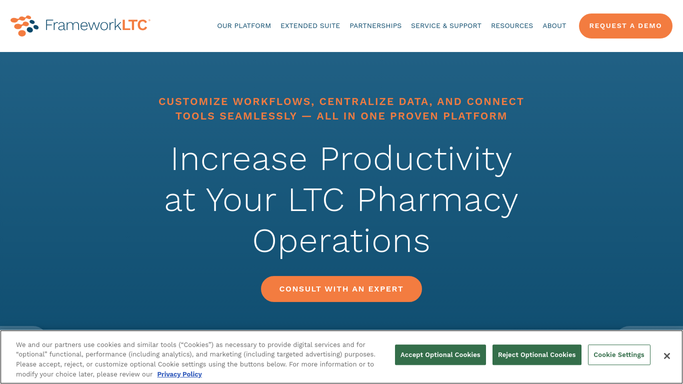
WebRun opens FrameworkLTC to pull active resident med lists. - Open FrameworkLTC and navigate to the cycle fill queue
- Pull the active medication list for every enrolled facility
- Flag items with missing or expired refill authorizations
- Flag items where on-hand supply falls below the fill quantity needed
- Record the resident, medication, facility, and issue type for each flagged item
Done when Every item needing resolution before the fill run is identified and categorized.
-
2
Google Sheets - build prep checklist by facility
google.com How to Automate Google Sheets

WebRun opens Google Sheets to build prep checklist by facility. - Open the cycle fill prep Google Sheet (or create a new tab dated for this cycle)
- Paste the flagged item list grouped by facility and issue type
- Mark items that require pharmacist review separately from items staff can resolve
Done when The prep checklist is populated and organized in Google Sheets.
-
3
Slack - alert dispensing team
slack.com How to Automate Slack

WebRun opens Slack to alert dispensing team. - Post a summary to the pharmacy team Slack channel listing the count of flags per facility
- Include a direct link to the Google Sheet prep checklist
- Tag the lead pharmacist for any items requiring clinical review
Done when The team has the prep checklist link and issue counts in Slack before dispensing starts.
How is each run configured?
Secure by default
Connect once, stays signed in
WebRun signs in once and keeps each session in a persistent environment, so every run picks up right where it left off.
Every action is checked against this policy before it runs.
Questions, answered
Will it send any medication information to outside parties?
No. All resident medication data stays inside FrameworkLTC and your Google Sheet. The Slack post contains only counts and a sheet link, not individual resident or medication names, so no protected health information leaves your internal systems.
How far ahead of the fill window should this run?
It runs on the morning of your cycle start day, typically two to four hours before dispensing begins, so your team has time to resolve flagged items before the window opens.
What if a facility has no flags?
Facilities with a clean medication list are noted as ready in the checklist and included in the Slack summary so the team can see at a glance which facilities need attention and which do not.
Related templates
Put this on autopilot.
Turn it on in minutes - or have our team set it up for you.