See where users got stuck this week
Every Monday, WebRun signs into LogRocket, reviews last week's sessions for rage clicks, dead clicks, and the pages where users abandon, saves a dated friction report to Google Drive, and sends you the three worst problem pages on WhatsApp with session counts.
- No credit card
- Under $0.01 per run
- Cancel anytime
How do I find out where users are getting stuck on my site?
WebRun reviews last week's LogRocket sessions every Monday, finding the pages with the most rage clicks and dead clicks and the points where users abandon your funnels. It saves a ranked friction report to Google Drive with a week over week comparison and sends the three worst pages to WhatsApp.
- The three pages hurting the most users are named every Monday
- A worsening page is caught against last week rather than at the next audit
- Every week's findings are archived in Drive instead of a stale dashboard tab
Built for product managers · UX designers · frontend engineers · growth teams
What does WebRun do on every run?
The exact actions WebRun takes, in order - in plain language, so you can adjust anything.
-
WebRun signs in and gets to work
Opens
app.logrocket.comin a real browser with your saved login - no setup, no API keys. -
1
LogRocket - review last week's sessions
logrocket.com
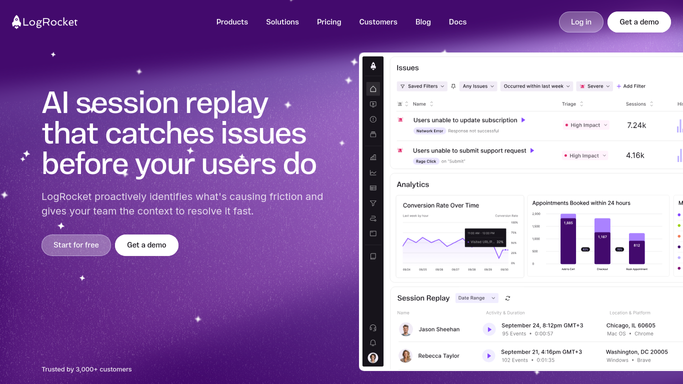
WebRun opens LogRocket to review last week's sessions. - Sign into LogRocket and set the date range to last week
- Find the pages with the most rage clicks and dead clicks
- Note where users abandon in the funnels you have set up
- Record the affected page, the session count, and the browser or device pattern for each
Done when Last week's friction points are listed with page, session count, and device pattern.
-
2
Google Drive - save the friction report
drive.google.com How to Automate Google Drive

WebRun opens Google Drive to save the friction report. - Open your product research folder in Google Drive
- Create a dated friction report listing each problem page and its session count
- Rank the entries by how many sessions were affected
- Add last week's figures beside each entry so a worsening page is obvious
Done when The dated friction report is saved in Google Drive with a week over week comparison.
-
3
WhatsApp - send the top problems
whatsapp.com How to Automate WhatsApp

WebRun opens WhatsApp to send the top problems. - Send the Monday summary on WhatsApp
- Name the three pages with the most affected sessions
- Say what the users were doing there, such as rage clicking a button or abandoning a form
- Link to the saved Google Drive report for the full list
Done when You have last week's three worst friction points on WhatsApp.
How is each run configured?
Secure by default
Connect once, stays signed in
WebRun signs in once and keeps each session in a persistent environment, so every run picks up right where it left off.
Every action is checked against this policy before it runs.
Questions, answered
Does the report include personal user data?
No. The report carries pages, session counts, and device patterns only. Individual user identities and anything LogRocket masks in replay are never copied into the file.
Does it change anything in LogRocket?
No. WebRun reads sessions and funnels and writes the report to Google Drive. It never edits a funnel, deletes a session, or changes a project setting.
Who can see the saved report?
Only the people you already share the Google Drive folder with. WebRun saves into your existing folder and never changes its sharing settings.
Related templates
Put this on autopilot.
Turn it on in minutes - or have our team set it up for you.