Flag over-shared OneDrive files before they become a problem
Every morning, WebRun opens OneDrive, scans recently shared files and folders for anyone-with-the-link or public access, posts a review digest to Slack, and pings the file owner on Telegram so risky shares get a second look.
- No credit card
- Under $0.01 per run
- Cancel anytime
How do I find OneDrive files that are shared too widely?
WebRun scans OneDrive every morning for files shared with anyone-with-the-link or shared outside your organization, and posts a review digest to Slack. For anything over-shared 30 days or more, it pings the file owner directly on Telegram, so risky links get a human review instead of sitting open indefinitely.
- Public and external links get caught the same week they are created
- File owners are pinged directly about the oldest over-shares
- Nothing gets unshared without a human decision
Built for IT admins · operations teams · compliance-conscious small businesses
What does WebRun do on every run?
The exact actions WebRun takes, in order - in plain language, so you can adjust anything.
-
WebRun signs in and gets to work
Opens
onedrive.live.comin a real browser with your saved login - no setup, no API keys. -
1
OneDrive - scan shared files for public links
onedrive.live.com
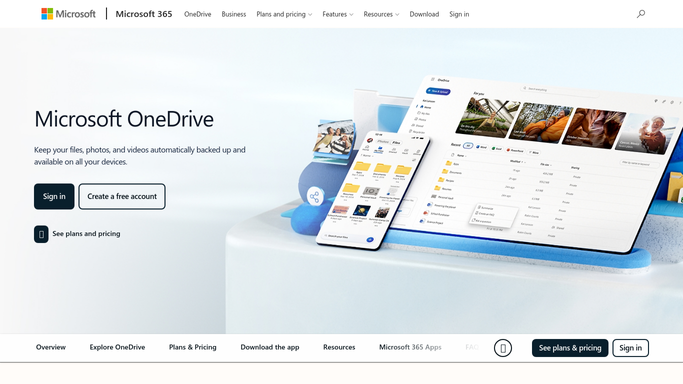
WebRun opens OneDrive to scan shared files for public links. - Open OneDrive and check Manage Access for recently shared files
- Flag anything shared as anyone-with-the-link or shared outside the organization
- Note the file owner and how long it has been shared that way
Done when Every over-shared file this run is listed with its owner.
-
2
Slack - post a review digest
slack.com How to Automate Slack

WebRun opens Slack to post a review digest. - Post the flagged files to the review channel with owner and link type
- Group them by how long they have sat over-shared
- Leave access changes for a person. WebRun never revokes a share on its own
Done when The review channel has today's over-shared file list.
-
3
Telegram - ping the file owner
telegram.org How to Automate Telegram

WebRun opens Telegram to ping the file owner. - Send the file owner a direct heads up for anything shared 30 or more days
- Include the file name and who it is currently shared with
- Ask them to confirm whether the access is still needed
Done when Owners of the oldest over-shared files have been notified.
How is each run configured?
Secure by default
Connect once, stays signed in
WebRun signs in once and keeps each session in a persistent environment, so every run picks up right where it left off.
Every action is checked against this policy before it runs.
Questions, answered
Will WebRun remove access or unshare a file?
No. It only flags over-shared files in Slack and Telegram. Changing or revoking access is always a person's call.
What counts as over-shared?
Files set to anyone-with-the-link, or shared outside your organization, especially ones that have sat that way for 30 days or more.
Does it check every folder in the account?
It checks recently shared files and folders each run, so a newly created public link is caught quickly rather than months later.
Related templates
Put this on autopilot.
Turn it on in minutes - or have our team set it up for you.