Convert event and wedding inquiries into confirmed bookings
Every morning, WebRun opens Moovs and finds wedding and event inquiries or packages that were sent but not yet confirmed, drafts a personalized follow-up for each client or planner, saves it in Gmail for review, and posts an event pipeline summary to Slack so the team knows where each booking stands.
- No credit card
- Under $0.01 per run
- Cancel anytime
How do I automatically follow up on open limo wedding and event package inquiries?
Each morning, WebRun scans Moovs for open wedding and event package inquiries that have not received a response in over 24 hours, drafts a personalized follow-up email for each client or planner in Gmail, and posts a pipeline summary to Slack sorted by event date and value. All drafts wait for your review, so high-value event bookings get a timely, personal touch.
- High-value wedding and event inquiries get a personal follow-up within 24 hours
- The sales team sees a daily event pipeline sorted by event date without manual auditing
- Fewer event bookings are lost to competitors because of slow or missed follow-up
Built for limo operators · chauffeured car sales teams · wedding transportation providers · event ground transportation companies
What does WebRun do on every run?
The exact actions WebRun takes, in order - in plain language, so you can adjust anything.
-
WebRun signs in and gets to work
Opens
app.moovsapp.comin a real browser with your saved login - no setup, no API keys. -
1
Moovs - find open event and wedding inquiries
moovsapp.com
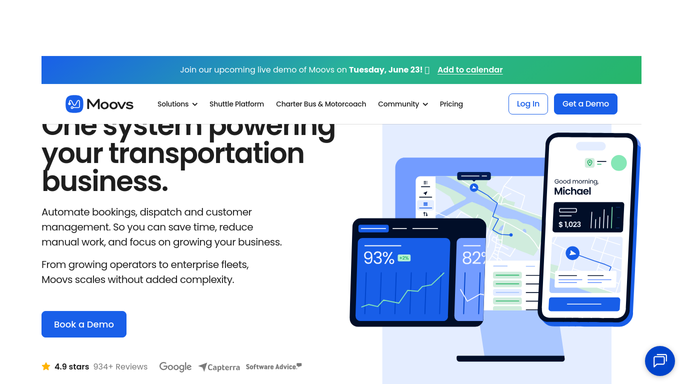
WebRun opens Moovs to find open event and wedding inquiries. - Open Moovs and filter quotes and trips tagged as Wedding, Prom, Event, or similar special occasion type
- Identify any in Pending or Quoted status that were created or sent more than 24 hours ago without a response
- Capture client or planner name, email, event date, vehicle preference, and quoted package value
Done when All open event and wedding package inquiries with no recent response are listed with full contact and quote details.
-
2
Gmail - draft tailored follow-up messages
gmail.com How to Automate Gmail

WebRun opens Gmail to draft tailored follow-up messages. - Draft a warm, personalized follow-up for each client or planner referencing their event date and package details
- For wedding inquiries, acknowledge the occasion and emphasize vehicle availability for the date
- Save each draft in Gmail for your review before sending
Done when A tailored follow-up draft is saved in Gmail for every open event or wedding inquiry.
-
3
Slack - post event pipeline summary
slack.com How to Automate Slack

WebRun opens Slack to post event pipeline summary. - Post a daily event pipeline summary to the sales Slack channel
- List each open inquiry with client name, event date, package value, and days since the quote was sent
- Flag high-value or time-sensitive inquiries where the event date is fewer than 90 days away
Done when The sales team has a current event pipeline view in Slack sorted by urgency.
How is each run configured?
Secure by default
Connect once, stays signed in
WebRun signs in once and keeps each session in a persistent environment, so every run picks up right where it left off.
Every action is checked against this policy before it runs.
Questions, answered
Will it email couples or event planners automatically without my review?
No. Every follow-up is saved as a draft in Gmail for your approval. High-value event bookings deserve a personal review before anything goes out.
Can it handle both direct client inquiries and those coming through event planners?
Yes. WebRun reads the contact type from the Moovs record and personalizes the draft accordingly, whether the recipient is the couple directly or a planner booking on their behalf.
What if the event date is more than a year away?
Long-lead inquiries are included in the pipeline summary but flagged as low urgency. You can configure a cut-off so follow-ups for events more than a certain number of days out are deferred to a later cycle.
Related templates
Put this on autopilot.
Turn it on in minutes - or have our team set it up for you.