Give your drivers a clean route sheet every morning
Every morning, WebRun opens Curbside Laundries, gathers all scheduled pickups and deliveries for the day, logs them to a shared Google Sheet in stop order, and posts a concise route digest to your Slack driver channel.
- No credit card
- Under $0.01 per run
- Cancel anytime
How do I automatically generate a laundry pickup and delivery route sheet every morning?
WebRun pulls every scheduled pickup and delivery from Curbside Laundries each morning, logs them in stop order to a shared Google Sheet, and posts a concise route digest to your Slack driver channel. Drivers start their day knowing exactly where to go, with no manual route-building needed.
- Drivers get a sequenced route sheet every morning without any manual sorting
- Dispatchers save 20 to 30 minutes of daily route-building work
- Time-sensitive stops are flagged so nothing urgent is missed
Built for laundromats · wash-dry-fold delivery services · laundry pickup operators · multi-route laundry businesses
What does WebRun do on every run?
The exact actions WebRun takes, in order - in plain language, so you can adjust anything.
-
WebRun signs in and gets to work
Opens
www.curbsidelaundries.comin a real browser with your saved login - no setup, no API keys. -
1
Curbside Laundries - pull today's scheduled stops
curbsidelaundries.com
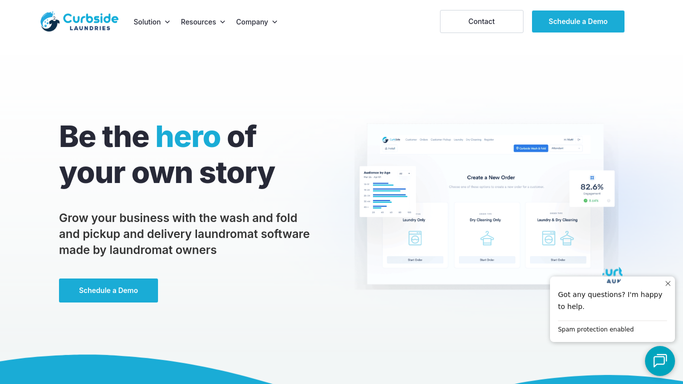
WebRun opens Curbside Laundries to pull today's scheduled stops. - Open Curbside Laundries and navigate to today's scheduled orders
- Capture each stop: customer name, address, order type (pickup or delivery), time window, and any special instructions
- Note the total stop count and any priority or time-sensitive orders
Done when All of today's scheduled stops are captured with address and order details.
-
2
Google Sheets - log stops in optimised route order
google.com How to Automate Google Sheets

WebRun opens Google Sheets to log stops in optimised route order. - Open the Route Sheet tab in the shared Google Sheet
- Clear the previous day's rows and write today's stops in sequence: stop number, customer, address, order type, time window, and notes
- Add a summary row at the top with total stops and estimated mileage
Done when Today's route is logged in the Google Sheet, ordered and ready for drivers.
-
3
Slack - post route digest to driver channel
slack.com How to Automate Slack

WebRun opens Slack to post route digest to driver channel. - Post a short route digest to the driver Slack channel: total stops, first and last address, and a link to the Google Sheet
- Flag any time-sensitive or high-priority stops in the message
Done when Drivers have the day's route summary in Slack with a link to the full sheet.
How is each run configured?
Secure by default
Connect once, stays signed in
WebRun signs in once and keeps each session in a persistent environment, so every run picks up right where it left off.
Every action is checked against this policy before it runs.
Questions, answered
Does it contact customers or just prepare the internal sheet?
It only creates an internal route digest. No messages go to customers. The Slack post and Google Sheet are visible to your team only.
What if orders are added after the morning run?
You can trigger the workflow again at any time to refresh the sheet with any new stops added since the morning pull.
Can it handle multiple drivers or zones?
Yes. Add zone columns to your Google Sheet and WebRun will sort stops by zone so each driver gets a clean section of the route.
Related templates
Put this on autopilot.
Turn it on in minutes - or have our team set it up for you.