Catch a traffic spike before it lands on your bill
Every hour, WebRun opens KeyCDN, reads the traffic and cache hit ratio for each zone, records the hour in a Notion log, compares it with that zone's recent baseline, and messages your team in WhatsApp whenever bandwidth runs far above normal so hotlinking or an attack can be stopped early.
- No credit card
- Under $0.01 per run
- Cancel anytime
How do I get alerted when CDN bandwidth spikes?
WebRun watches your KeyCDN zones every hour. It reads bandwidth and cache hit ratio per zone, logs the hour in Notion, compares it with that zone's rolling baseline, and messages your team in WhatsApp when traffic runs far above normal, so hotlinking or an attack is caught before the bill.
- An unusual surge is known within the hour it starts
- Top referrers arrive with the alert, so hotlinking is easy to spot
- Ordinary hours stay in the Notion log and never interrupt the team
Built for web engineers · site owners · hosting teams · media publishers
What does WebRun do on every run?
The exact actions WebRun takes, in order - in plain language, so you can adjust anything.
-
WebRun signs in and gets to work
Opens
www.keycdn.comin a real browser with your saved login - no setup, no API keys. -
1
KeyCDN - read bandwidth per zone
keycdn.com
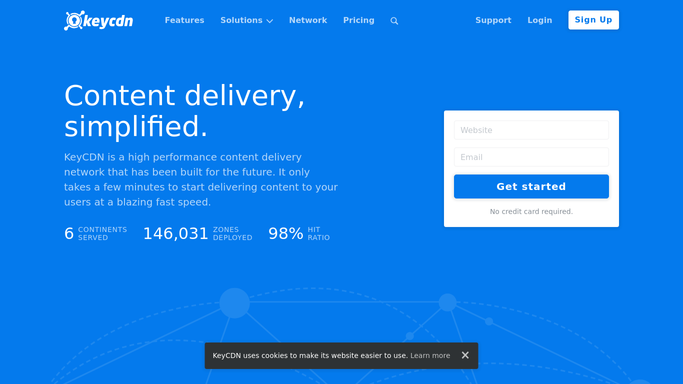
WebRun opens KeyCDN to read bandwidth per zone. - Open KeyCDN and read the traffic report for each active zone
- Capture bandwidth served in the last hour and the cache hit ratio for the zone
- Note the top referrers or paths when the zone is well above its usual traffic
Done when Every zone has an hourly bandwidth figure and a cache hit ratio.
-
2
Notion - log the hour and the baseline
notion.so How to Automate Notion

WebRun opens Notion to log the hour and the baseline. - Append this hour's figures to the zone traffic log
- Work out the rolling baseline for the same zone and the same hour of the week
- Mark the row as normal or as a spike against the multiple you set
Done when The Notion log holds this hour's numbers and its verdict against the baseline.
-
3
WhatsApp - message the team about a surge
whatsapp.com How to Automate WhatsApp

WebRun opens WhatsApp to message the team about a surge. - Message your internal team group only when a zone breaks its spike threshold
- Name the zone, the bandwidth served, the baseline it beat, and the cache hit ratio
- Add the top referrers so hotlinking can be told apart from a genuine traffic win
Done when The team is alerted about every zone running far above normal.
How is each run configured?
Secure by default
Connect once, stays signed in
WebRun signs in once and keeps each session in a persistent environment, so every run picks up right where it left off.
Every action is checked against this policy before it runs.
Questions, answered
Will it change my zone settings or block traffic?
No. WebRun reads reports only. It never edits a zone, enables hotlink protection, purges a cache, or blocks an address. You decide what to do with the alert.
How does it know what normal looks like?
The Notion log builds a rolling baseline per zone for the same hour of the week, so a busy Monday morning is compared with other Monday mornings rather than with a quiet Sunday night.
Will it wake the team over a small bump?
Only above the multiple you set, for example three times the baseline. Ordinary hours are logged quietly in Notion and never reach WhatsApp.
Related templates
Put this on autopilot.
Turn it on in minutes - or have our team set it up for you.