Digest Kayak fare alerts for your watched routes
Every morning, WebRun opens Kayak, checks fare alerts on every watched route, logs each route's current low fare in Airtable, and updates the trip planning page in Notion so the team can see fare movement in one place instead of a pile of separate alert emails.
- No credit card
- Under $0.01 per run
- Cancel anytime
How do I track Kayak fare alerts across multiple watched routes in one place?
WebRun checks Kayak every morning for fare alerts on watched routes, logs each route's current low fare in Airtable, and updates a trip planning page in Notion. Travel coordinators see fare movement across every watched route in one place instead of digging through separate alert emails.
- Every watched route's fare is checked the same morning
- The biggest price drops surface first on the planning page
- Fare history builds automatically in Airtable for comparison
Built for travel coordinators · small travel agencies · corporate travel managers · frequent travelers
What does WebRun do on every run?
The exact actions WebRun takes, in order - in plain language, so you can adjust anything.
-
WebRun signs in and gets to work
Opens
www.kayak.comin a real browser with your saved login - no setup, no API keys. -
1
Kayak - check fare alerts on watched routes
kayak.com
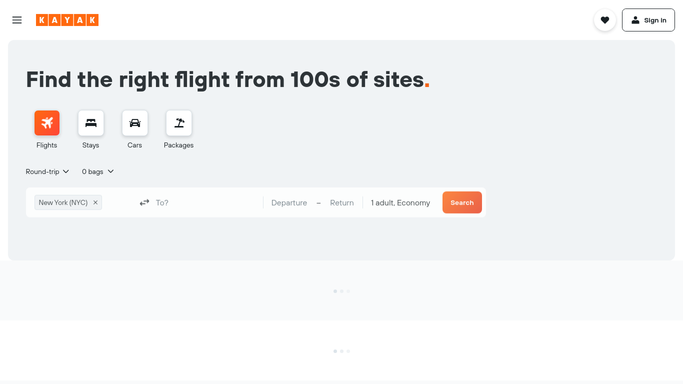
WebRun opens Kayak to check fare alerts on watched routes. - Open the price alerts and check every watched route
- Note the current low fare and airline for each
- Flag any route showing a meaningful drop
Done when Every watched route's current fare is captured.
-
2
Airtable - log each route's current low fare
airtable.com How to Automate Airtable

WebRun opens Airtable to log each route's current low fare. - Log this week's low fare for each route
- Update the trend against the prior check
- Note the airline and travel dates the fare applies to
Done when Every route's current fare is logged in Airtable.
-
3
Notion - update the trip planning page
notion.so How to Automate Notion

WebRun opens Notion to update the trip planning page. - Update the trip planning page with today's fares
- Flag any route worth booking now
- Keep the page sorted by biggest price drop
Done when The trip planning page reflects today's fare check.
How is each run configured?
Secure by default
Connect once, stays signed in
WebRun signs in once and keeps each session in a persistent environment, so every run picks up right where it left off.
Every action is checked against this policy before it runs.
Questions, answered
Will it book a flight when the fare drops?
No. WebRun only reads fare alerts and logs the current price. Booking a flight is always left to the traveler or travel coordinator.
How is a route flagged as worth booking?
By comparing the current fare against its recent trend on Kayak, so a route that looks unusually low gets surfaced first on the trip planning page.
Can it watch more than one route?
Yes, every route set up as a Kayak price alert is checked and logged each morning, all in the same trip planning page.
Related templates
Put this on autopilot.
Turn it on in minutes - or have our team set it up for you.