Escalate tickets before they miss their response target
Every hour, WebRun opens Jitbit Helpdesk, reads every open ticket with its priority, technician, and time since the customer last wrote, compares that against your response target, posts the tickets close to breaching to Slack with their owner named, and drafts a manager escalation in Gmail for any that already slipped.
- No credit card
- Under $0.01 per run
- Cancel anytime
How do I escalate support tickets before they breach an SLA?
WebRun watches the clock on your Jitbit Helpdesk tickets every hour. It reads each open ticket with its priority, technician, and time since the customer last wrote, posts the ones close to missing your response target to Slack, and drafts a manager escalation in Gmail for anything already breached.
- Tickets are escalated while there is still time to answer inside the target
- Every at risk ticket carries the name of the technician who owns it
- Breaches reach the support lead as a drafted email, never a surprise
Built for support leads · IT helpdesk teams · managed service providers · operations managers
What does WebRun do on every run?
The exact actions WebRun takes, in order - in plain language, so you can adjust anything.
-
WebRun signs in and gets to work
Opens
www.jitbit.comin a real browser with your saved login - no setup, no API keys. -
1
Jitbit Helpdesk - check tickets against the target
jitbit.com
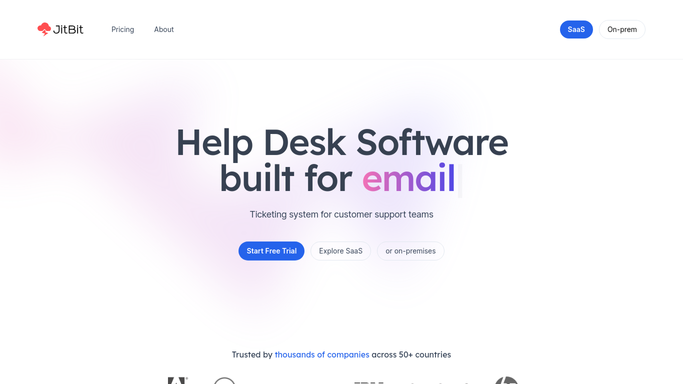
WebRun opens Jitbit Helpdesk to check tickets against the target. - Open Jitbit Helpdesk and list the tickets that are still open or awaiting a technician
- Capture the priority, category, assigned technician, and the time since the customer last wrote on each
- Compare each ticket against the response target for its priority and mark it as at risk or already breached
Done when Every open ticket is marked safe, at risk, or breached against its response target.
-
2
Slack - escalate to the support channel
slack.com How to Automate Slack

WebRun opens Slack to escalate to the support channel. - Post the at risk tickets to your support channel with the ticket number, subject, and priority
- Name the assigned technician on each line and show the minutes left before the target
- Skip tickets already posted in an earlier run unless their status changed
Done when Every ticket running out of time is in Slack with its owner named.
-
3
Gmail - draft a manager escalation
gmail.com How to Automate Gmail

WebRun opens Gmail to draft a manager escalation. - Draft an internal escalation email to the support lead listing the tickets that already breached
- Include the ticket number, the technician, the priority, and how long the customer has waited
- Leave the email unsent in Gmail drafts. Never email the customer from this run
Done when A breach escalation draft is waiting in Gmail whenever a target was missed.
How is each run configured?
Secure by default
Connect once, stays signed in
WebRun signs in once and keeps each session in a persistent environment, so every run picks up right where it left off.
Every action is checked against this policy before it runs.
Questions, answered
Will it reply to customers or close tickets?
No. WebRun never answers a ticket, changes a status, or emails a customer. It posts internally to Slack and leaves the manager escalation unsent in Gmail drafts for a human to send.
How does it know my response targets?
You set the target per priority once during setup, for example two hours for urgent and one day for low. Each run measures the time since the customer last wrote and compares it to that number.
Will it spam the channel every hour?
No. A ticket is posted once when it enters the at risk window, and again only if its status or owner changes, so the channel stays readable through a busy day.
Related templates
Put this on autopilot.
Turn it on in minutes - or have our team set it up for you.