Get interested replies to a rep while they are still warm
Through the day, WebRun opens Instantly, reads replies that have arrived since the last run, separates genuine interest from out-of-office and unsubscribe notes, hands each interested lead to a named rep in Microsoft Teams, and WhatsApps you the ones asking for a call.
- No credit card
- Under $0.01 per run
- Cancel anytime
How do I get cold email replies to the right rep quickly?
WebRun checks Instantly through the day, reads replies since the last run, and separates real interest from out-of-office and opt-out notes. It posts each interested lead to Microsoft Teams with the owning rep tagged and the reply quoted, then WhatsApps you the ones asking for a call.
- Interested replies reach a named rep within the hour
- Out-of-office and bounce noise never reaches the sales channel
- Call requests hit your phone the moment they land
Built for outbound sales teams · lead generation agencies · SDR teams · B2B founders
What does WebRun do on every run?
The exact actions WebRun takes, in order - in plain language, so you can adjust anything.
-
WebRun signs in and gets to work
Opens
app.instantly.aiin a real browser with your saved login - no setup, no API keys. -
1
Instantly - read new campaign replies
instantly.ai
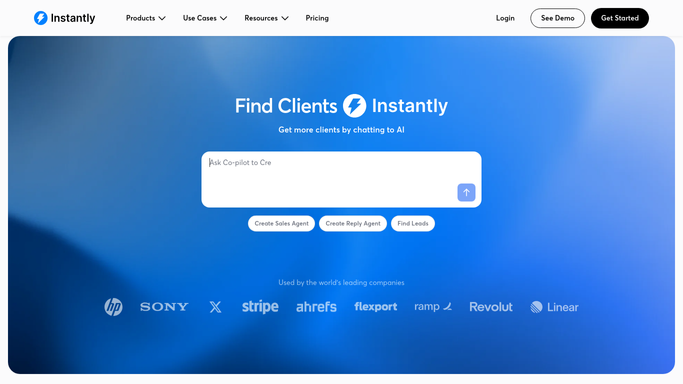
WebRun opens Instantly to read new campaign replies. - Open Instantly and review replies received since the previous run
- Sort them into genuine interest, questions, out-of-office, wrong contact and opt-out requests
- Capture the lead name, company, campaign and the exact line that signals interest
Done when Every new reply is classified and the interested ones are listed with their campaign.
-
2
Microsoft Teams - hand each lead to a rep
microsoft.com How to Automate Microsoft Teams

WebRun opens Microsoft Teams to hand each lead to a rep. - Post each interested lead to your sales channel in Microsoft Teams
- Tag the rep who owns that campaign and quote the lead's own words
- List opt-out requests separately so a human can process them in Instantly. WebRun never replies to a lead itself
Done when Every interested reply has an owner tagged in Teams.
-
3
WhatsApp - ping you about the hottest
whatsapp.com How to Automate WhatsApp

WebRun opens WhatsApp to ping you about the hottest. - Send yourself a WhatsApp message when a reply explicitly asks for a call, a demo or pricing
- Include the name, the company and the campaign in one line
- Stay quiet on runs where nothing hot came in
Done when You have been alerted to every reply asking for a conversation.
How is each run configured?
Secure by default
Connect once, stays signed in
WebRun signs in once and keeps each session in a persistent environment, so every run picks up right where it left off.
Every action is checked against this policy before it runs.
Questions, answered
Will it reply to prospects on my behalf?
No. WebRun reads replies and hands them to a rep. It never sends an email to a lead, never books a meeting, and never changes a campaign. Every prospect-facing message is written and sent by a person.
How does it tell real interest from an auto-reply?
It reads the body of each reply and separates genuine questions and buying signals from out-of-office notices, bounces and wrong-contact replies, then quotes the lead's own words so your rep can judge in a second.
What happens to unsubscribe requests?
They are listed separately in the Teams post and flagged for a human to action in Instantly. WebRun surfaces them fast but does not edit lead status itself, so opt-outs are never handled silently.
Related templates
Put this on autopilot.
Turn it on in minutes - or have our team set it up for you.