Know which applets and connected services you still actually use
Every Monday, WebRun opens IFTTT, lists every applet you own with its status and last run from the activity log, lists the services still connected to your account, books you a short cleanup slot in Google Calendar when there is dead weight, and sends the whole inventory to you on WhatsApp.
- No credit card
- Under $0.01 per run
- Cancel anytime
How do I find IFTTT applets and connected services I no longer use?
WebRun audits your IFTTT account every Monday, listing every applet with its status and last run from the activity log, plus the services still connected. It books a cleanup slot in Google Calendar when dead weight turns up and sends the full inventory to WhatsApp, so old integrations get removed rather than forgotten.
- Applets that have not fired in weeks are named every Monday
- Services still linked with no live applet behind them get flagged for unlinking
- Cleanup gets a booked slot instead of staying on the someday list
Built for automation enthusiasts · solo operators · IT administrators · small teams
What does WebRun do on every run?
The exact actions WebRun takes, in order - in plain language, so you can adjust anything.
-
WebRun signs in and gets to work
Opens
ifttt.comin a real browser with your saved login - no setup, no API keys. -
1
IFTTT - inventory applets and services
ifttt.com
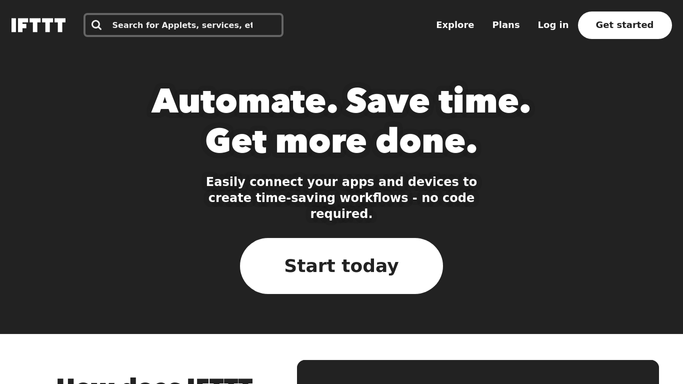
WebRun opens IFTTT to inventory applets and services. - Open IFTTT and list every applet on your account with its current status
- Read the activity log and record the last time each applet actually ran
- Group applets into recently active, quiet for weeks and never run
- List the services still connected to your account and note which ones no live applet uses
- Note your account plan and how many applets it allows so the inventory is read in context
Done when Every applet has a status and a last-run date, and every connected service is listed.
-
2
Google Calendar - book the cleanup slot
calendar.google.com How to Automate Google Calendar

WebRun opens Google Calendar to book the cleanup slot. - Create a short cleanup slot on your calendar for any week where dead applets or unused services turn up
- Title it with the count of applets to review and services to disconnect
- Put the actual list in the event description so the work is ready when the slot opens
- Skip the booking entirely on a week where the account is clean
Done when A cleanup slot exists on your calendar whenever there is something to remove.
-
3
WhatsApp - send the inventory
whatsapp.com How to Automate WhatsApp

WebRun opens WhatsApp to send the inventory. - Send yourself the inventory: applets running, applets quiet and applets never run
- List the connected services no live applet depends on, since those are the ones safe to disconnect
- Show how the applet count sits against what your plan allows
Done when You have this week's IFTTT inventory on WhatsApp.
How is each run configured?
Secure by default
Connect once, stays signed in
WebRun signs in once and keeps each session in a persistent environment, so every run picks up right where it left off.
Every action is checked against this policy before it runs.
Questions, answered
Will it delete applets or disconnect services?
No. WebRun never archives an applet and never revokes a service connection. It reports what looks like dead weight and books you the time to review it. Every removal stays your click inside IFTTT.
How does it decide an applet is dead?
By last run date from the activity log. Applets that have not fired inside the window you set, usually 30 or 60 days, are grouped as quiet, and applets that have never run are listed separately.
Why does it care about connected services?
A service can stay linked to your account long after the applet using it is gone, which leaves an old account connected for no reason. WebRun names the services no live applet depends on so you can unlink them.
Related templates
Put this on autopilot.
Turn it on in minutes - or have our team set it up for you.