Walk into every IDG meeting with the agenda already built
Every Monday morning, WebRun opens WellSky, pulls the active patient list and reviews visit frequency compliance, open medication reconciliations, plan-of-care review status, and outstanding documentation for each patient, then writes a structured IDG prep digest to Google Sheets so the team arrives at the meeting with every patient's status in hand.
- No credit card
- Under $0.01 per run
- Cancel anytime
How do I automatically prepare a patient status digest before our hospice IDG meeting?
WebRun opens WellSky every Monday morning before the IDG meeting, reviews each active patient's visit frequency compliance, medication reconciliation status, plan-of-care review date, and outstanding documentation, then writes a color-coded prep sheet to Google Sheets. The entire team arrives with current status data for every patient, reducing meeting prep time significantly.
- IDG team arrives with a current status sheet for every patient, reducing prep time
- Color-coded sheet surfaces urgent patients at a glance before the meeting starts
- Clinical notes and diagnoses stay in WellSky; sheet uses identifiers and status flags only
Built for hospice clinical directors · hospice IDG facilitators · hospice care coordinators · palliative care teams
What does WebRun do on every run?
The exact actions WebRun takes, in order - in plain language, so you can adjust anything.
-
WebRun signs in and gets to work
Opens
wellsky.comin a real browser with your saved login - no setup, no API keys. -
1
WellSky - read patient status across visit, medication, and documentation dimensions
wellsky.com How to Automate WellSky
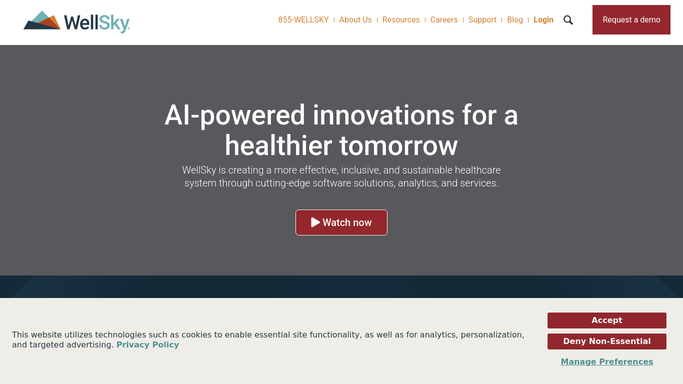
WebRun opens WellSky to read patient status across visit, medication, and documentation dimensions. - Open WellSky and navigate to the active patient census
- For each patient, read visit frequency compliance status for the current certification period
- Check whether medication reconciliation is current
- Note plan-of-care review due date and any outstanding discipline signatures
- Flag any open documentation tasks or unresolved care concerns
Done when A status summary across visit compliance, medication reconciliation, plan of care, and documentation is captured for every active patient.
-
2
Google Sheets - write structured IDG prep digest for the meeting
google.com How to Automate Google Sheets

WebRun opens Google Sheets to write structured IDG prep digest for the meeting. - Write one row per patient to the IDG Meeting Prep sheet with columns for each status dimension
- Use color coding: green for on track, yellow for attention needed, red for overdue or missing
- Timestamp the sheet with the meeting date and run time
Done when The IDG prep sheet in Google Sheets is fully populated and ready for the team before the meeting starts.
How is each run configured?
Secure by default
Connect once, stays signed in
WebRun signs in once and keeps each session in a persistent environment, so every run picks up right where it left off.
Every action is checked against this policy before it runs.
Questions, answered
Does it include clinical notes or diagnoses in the sheet?
No. The prep sheet uses patient identifiers and status indicators only, covering compliance flags and missing tasks. Diagnoses and clinical notes stay in WellSky and are discussed during the meeting.
Can it run on a different day if the IDG meeting is not on Monday?
Yes. The schedule is fully configurable, so WebRun can prepare the digest on any day that matches your IDG meeting cadence.
What if the IDG team wants to add discussion notes to the sheet?
The Google Sheet is a live document that the team can annotate during or after the meeting. WebRun overwrites only the status columns on the next run, leaving any notes your team adds intact.
Related templates
Put this on autopilot.
Turn it on in minutes - or have our team set it up for you.