Fill open caregiver shifts without the phone-tree scramble
Every morning, WebRun opens AlayaCare, finds any unfilled shifts for the next 48 hours, identifies qualified and available caregivers for each opening, drafts individual outreach messages for a coordinator to review and send, and logs every fill attempt in a Google Sheet for accountability.
- No credit card
- Under $0.01 per run
- Cancel anytime
How do I automate open shift filling for home care caregivers?
Every morning, WebRun checks AlayaCare for unfilled shifts in the next 48 hours, ranks qualified available caregivers for each opening, and drafts outreach messages for a coordinator to approve before sending. Every fill attempt is logged in a Google Sheet for full accountability.
- Open shifts are surfaced and outreach drafted before the workday starts
- Coordinators approve messages instead of making cold calls from memory
- Every fill attempt is tracked in one Google Sheet for accountability
Built for home care agencies · home health schedulers · staffing coordinators · operations managers
What does WebRun do on every run?
The exact actions WebRun takes, in order - in plain language, so you can adjust anything.
-
WebRun signs in and gets to work
Opens
app.alayacare.comin a real browser with your saved login - no setup, no API keys. -
1
AlayaCare - find open unfilled shifts
alayacare.com
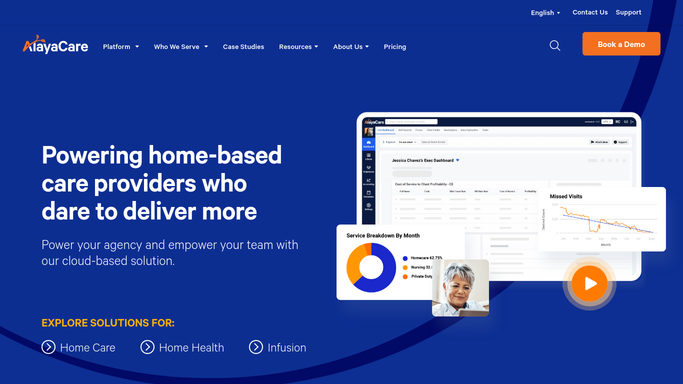
WebRun opens AlayaCare to find open unfilled shifts. - Open AlayaCare and filter the schedule for unfilled shifts in the next 48 hours
- For each open shift, note the client, service type, location, date, and required caregiver qualifications
- Identify caregivers who are qualified, available, and not already at overtime risk
- Rank candidates by match quality: skills, proximity, and prior relationship with the client
Done when Every open shift has a ranked list of qualified candidate caregivers.
-
2
Google Sheets - log fill attempts and status
google.com How to Automate Google Sheets

WebRun opens Google Sheets to log fill attempts and status. - Open the shift-fill tracking Google Sheet
- Add a row for each open shift with the date, client, service, and top candidates listed
- Update the status column to Outreach Pending
- Leave the Filled By and Fill Time columns blank for the coordinator to complete
Done when Every open shift is logged in the sheet with candidate names and status.
-
3
Gmail - draft caregiver outreach for review
gmail.com How to Automate Gmail

WebRun opens Gmail to draft caregiver outreach for review. - Draft a brief, professional availability request for each top caregiver candidate
- Include the shift date, time, location, and client type without disclosing protected health information
- Save every draft in Gmail for coordinator review before sending
- Do not send any message automatically
Done when One Gmail draft exists per candidate, ready for coordinator review and send.
How is each run configured?
Secure by default
Connect once, stays signed in
WebRun signs in once and keeps each session in a persistent environment, so every run picks up right where it left off.
Every action is checked against this policy before it runs.
Questions, answered
Will it send messages to caregivers without coordinator approval?
No. Every outreach message is drafted in Gmail and held for a coordinator to review before sending. Caregiver contact is always a human decision to protect privacy and agency relationships.
How does it choose which caregivers to contact?
It reads each caregiver's qualifications, availability, and overtime status in AlayaCare, then ranks candidates by skills match, proximity, and prior history with the client. The coordinator sees the ranked list and approves the outreach.
What happens after a shift is filled?
The coordinator updates the Google Sheet with who filled the shift. The next morning's run skips any shifts already marked as filled, so the log stays current without manual cleanup.
Related templates
Put this on autopilot.
Turn it on in minutes - or have our team set it up for you.