Know when a client has actually downloaded what you sent
Every night, WebRun opens Hightail, reads each file delivery for which recipients opened or downloaded it and which never did, records the download state in Airtable, and puts a reminder on your Google Calendar for any link expiring before the recipient collected the files.
- No credit card
- Under $0.01 per run
- Cancel anytime
How do I know if a client downloaded the files I sent them?
WebRun opens Hightail every night and reads which recipients opened or downloaded each file delivery and which never touched it. It records the status in Airtable and books a Google Calendar reminder two days before any link expires with the files still uncollected, so a delivery is resent in time.
- You know who collected the files and who never opened them
- Links get a reminder two days before they expire uncollected
- A running Airtable record replaces asking the client if it arrived
Built for video producers · creative agencies · photographers · post-production teams
What does WebRun do on every run?
The exact actions WebRun takes, in order - in plain language, so you can adjust anything.
-
WebRun signs in and gets to work
Opens
www.hightail.comin a real browser with your saved login - no setup, no API keys. -
1
Hightail - read download status per recipient
hightail.com
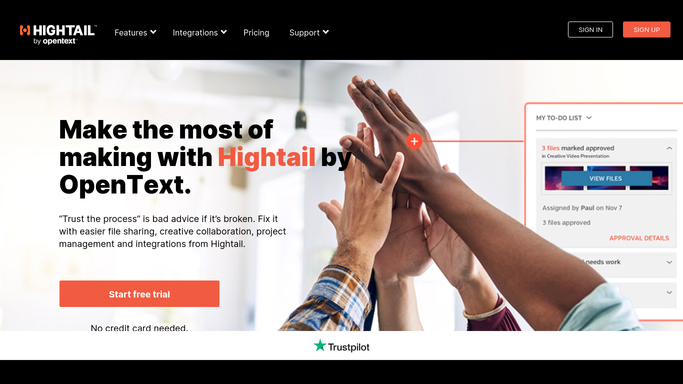
WebRun opens Hightail to read download status per recipient. - Open Hightail and list the file deliveries you sent in the last 30 days, with the recipient and the date sent
- For each recipient record whether the delivery was opened, whether the files were downloaded, and when
- Note the expiration date on each delivery and which spaces the files sit in
Done when Every recent delivery has a per-recipient download status and an expiration date.
-
2
Airtable - record who collected what
airtable.com How to Automate Airtable

WebRun opens Airtable to record who collected what. - Open your deliveries base in Airtable and match each row by delivery name and recipient
- Update the status to opened, downloaded, or untouched, and stamp the date it changed
- Flag any delivery over three days old that no recipient has downloaded
Done when Airtable shows a current download status for every delivery and recipient.
-
3
Google Calendar - remind you before links expire
calendar.google.com How to Automate Google Calendar

WebRun opens Google Calendar to remind you before links expire. - Add a reminder two days before any link expires while its files are still uncollected
- Title it with the client, the delivery name, and the expiry date so the action is obvious
- Include the untouched recipients in the notes. WebRun does not email the client or resend the delivery
Done when Every uncollected delivery has a calendar reminder ahead of its expiry.
How is each run configured?
Secure by default
Connect once, stays signed in
WebRun signs in once and keeps each session in a persistent environment, so every run picks up right where it left off.
Every action is checked against this policy before it runs.
Questions, answered
Will it email clients or resend a delivery?
No. WebRun only reads the download status and books you a calendar reminder. Resending a delivery, extending a link, or emailing a client stay with you, so no client hears from WebRun.
How does it know a client downloaded the files?
It reads the delivery activity Hightail records against each recipient, so opened and downloaded are taken from the platform's own tracking rather than guessed at.
Does it upload or delete any files?
Never. This run is read-only in Hightail. It does not upload, move, or remove a file, and it never changes a delivery's expiration date.
Related templates
Put this on autopilot.
Turn it on in minutes - or have our team set it up for you.