See which demo hearing aids are aging on the shelf
Every Monday, WebRun opens Auditdata Manage, reviews demo and stock hearing aids, calculates how many days each unit has sat unsold since it arrived, logs an aging report in Google Sheets, and sends your team a Telegram summary so slow moving demo devices get sold or returned before they age out.
- No credit card
- Under $0.01 per run
- Cancel anytime
How do I track which demo hearing aids are aging in stock?
WebRun reviews demo and stock hearing aids in Auditdata Manage every Monday and calculates how many days each unit has sat unsold. It logs a ranked aging report in Google Sheets and sends your team a Telegram summary of the oldest units and their value, so slow moving demo devices get sold or returned before they age out.
- Slow moving demo units get featured or returned before they date
- The team sees the value of aging stock in Telegram every week
- Capital tied up in shelf stock shrinks because old units surface early
Built for hearing aid retailers · audiology practice owners · clinic operations teams · inventory managers
What does WebRun do on every run?
The exact actions WebRun takes, in order - in plain language, so you can adjust anything.
-
WebRun signs in and gets to work
Opens
www.auditdata.comin a real browser with your saved login - no setup, no API keys. -
1
Auditdata Manage - review demo and stock devices
auditdata.com How to Automate Auditdata Manage
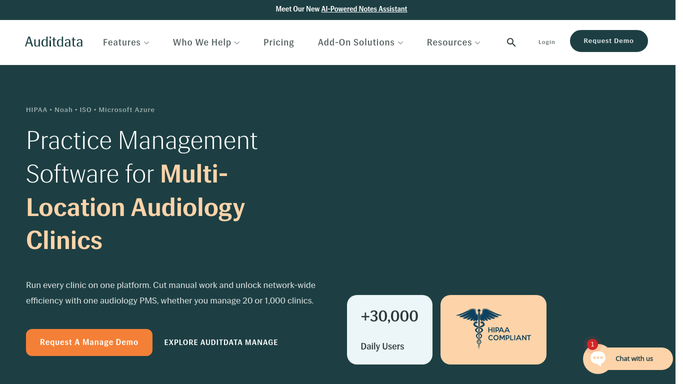
WebRun opens Auditdata Manage to review demo and stock devices. - Open Auditdata Manage and review demo and stock hearing aid inventory across locations
- Read each unit's manufacturer, model, serial number, and date received into stock
- Calculate days on hand for every demo and unsold unit
- Capture the model, location, days on hand, and cost for each aging unit
Done when Every demo and stock device has its days on hand calculated.
-
2
Google Sheets - build the aging report
google.com How to Automate Google Sheets

WebRun opens Google Sheets to build the aging report. - Open the Demo Aging Report sheet
- Add a row per unit with model, serial, location, days on hand, and cost
- Sort by days on hand so the oldest units appear first
- Bucket units into aging bands such as 30, 60, and 90 plus days
Done when The aging report is current and sorted from oldest to newest demo stock.
-
3
Telegram - send the internal aging summary
telegram.org How to Automate Telegram

WebRun opens Telegram to send the internal aging summary. - Send an internal summary to your operations Telegram channel
- List the oldest demo units by model, location, and days on hand
- Total the value of stock sitting over 90 days
- Suggest which slow movers to feature, discount, or return to the manufacturer
Done when The team has a Telegram summary of the oldest demo stock and its value.
How is each run configured?
Secure by default
Connect once, stays signed in
WebRun signs in once and keeps each session in a persistent environment, so every run picks up right where it left off.
Every action is checked against this policy before it runs.
Questions, answered
Does it change stock or start returns on its own?
No. WebRun only builds a report and sends an internal Telegram summary. Any discount, transfer, or manufacturer return is decided and actioned by your team after reviewing the aging list.
How does it calculate how long a unit has aged?
It reads each demo unit's date received into stock in Auditdata Manage and counts forward to today, giving days on hand and grouping units into 30, 60, and 90 plus day bands.
Can it show which locations hold the oldest stock?
Yes. It reads inventory per location in Auditdata Manage, so the report and the Telegram summary show which clinic is holding the slowest moving demo devices.
Related templates
Put this on autopilot.
Turn it on in minutes - or have our team set it up for you.