Catch hearing aid warranties before they expire
Every Monday, WebRun opens Auditdata Manage, reviews dispensed hearing aids, finds devices whose manufacturer warranty or loss and damage coverage expires within 60 days, logs them in Google Sheets, and posts your team an internal Slack digest so warranty windows are used before they close.
- No credit card
- Under $0.01 per run
- Cancel anytime
How do I track hearing aid warranties before they expire?
WebRun reviews dispensed hearing aids in Auditdata Manage every Monday and finds devices whose manufacturer warranty or loss and damage coverage expires within 60 days. It logs them in Google Sheets sorted by end date and posts your team an internal Slack digest, so staff use every warranty window for repairs or reshells before it closes.
- Repairs and reshells get sent while devices are still under warranty
- The team sees expiring coverage in Slack every week
- No warranty window lapses unused because dates are checked every run
Built for hearing aid retailers · audiology practices · clinic operations teams · dispensing audiologists
What does WebRun do on every run?
The exact actions WebRun takes, in order - in plain language, so you can adjust anything.
-
WebRun signs in and gets to work
Opens
www.auditdata.comin a real browser with your saved login - no setup, no API keys. -
1
Auditdata Manage - find devices with expiring warranties
auditdata.com How to Automate Auditdata Manage
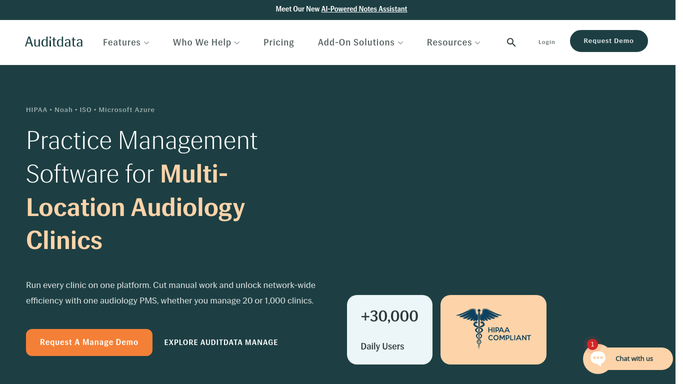
WebRun opens Auditdata Manage to find devices with expiring warranties. - Open Auditdata Manage and review dispensed device records with warranty details
- Read each hearing aid's manufacturer, model, serial number, and warranty end date
- Find devices whose warranty or loss and damage coverage expires within the next 60 days
- Capture the patient initials, device details, and coverage end date
Done when Every device with a warranty expiring within 60 days is listed with its coverage end date.
-
2
Google Sheets - log the warranty tracker
google.com How to Automate Google Sheets

WebRun opens Google Sheets to log the warranty tracker. - Open the Warranty Expiry Tracker sheet
- Add a row per device with patient initials, model, serial, and coverage end date
- Sort by coverage end date so the soonest expiries appear first
- Mark devices where a repair or reshell could still be sent under warranty
Done when The warranty tracker is current and sorted by soonest coverage end date.
-
3
Slack - post the internal warranty digest
slack.com How to Automate Slack

WebRun opens Slack to post the internal warranty digest. - Post an internal digest to your clinic operations Slack channel
- List devices whose warranty expires in the next 60 days with the patient initials and end date
- Highlight any device that should have a repair sent before coverage lapses
- Link to the full Google Sheet for the team to action
Done when The team has a Slack digest of upcoming warranty expiries with the soonest first.
How is each run configured?
Secure by default
Connect once, stays signed in
WebRun signs in once and keeps each session in a persistent environment, so every run picks up right where it left off.
Every action is checked against this policy before it runs.
Questions, answered
Does it contact patients or manufacturers on its own?
No. WebRun only posts an internal Slack digest and updates a Google Sheet for your team. Any patient outreach or warranty repair request is actioned by staff after reviewing the list.
How does it know a warranty is about to expire?
It reads each dispensed device's warranty end date in Auditdata Manage and flags any hearing aid whose coverage lapses within the next 60 days so nothing expires unused.
Can it cover both repair and loss coverage?
Yes. It reads both manufacturer repair warranty and loss and damage coverage dates in Auditdata Manage and tracks whichever expires soonest for each device.
Related templates
Put this on autopilot.
Turn it on in minutes - or have our team set it up for you.