Check photo consent before featuring a result
Every Monday, WebRun reviews the results queued for social features, checks each patient's photo-use consent status and expiry in TrichoSuite and the signed form in Google Drive, drafts a consent renewal request for anyone expired or missing, and prepares a held Instagram post that stays unpublished until consent is confirmed.
- No credit card
- Under $0.01 per run
- Cancel anytime
 Instagram
hold a draft until consent clears
Instagram
hold a draft until consent clears
How do I verify photo consent before featuring a hair transplant result?
Every Monday WebRun reviews results queued for social features, checks each patient's photo-use consent and expiry in TrichoSuite, and confirms a signed form in Google Drive. It prepares a held Instagram draft only when consent is current, and drafts a renewal request for anything expired, so no before and after is posted without valid permission.
- No before and after is posted on expired or missing consent
- Expired consent triggers a drafted renewal request automatically
- Every Instagram feature is held for human approval before posting
Built for hair transplant clinics · clinic marketing teams · compliance leads · social media managers
What does WebRun do on every run?
The exact actions WebRun takes, in order - in plain language, so you can adjust anything.
-
WebRun signs in and gets to work
Opens
trichosuite.com/en-USin a real browser with your saved login - no setup, no API keys. -
1
TrichoSuite - check photo consent status
trichosuite.com How to Automate TrichoSuite
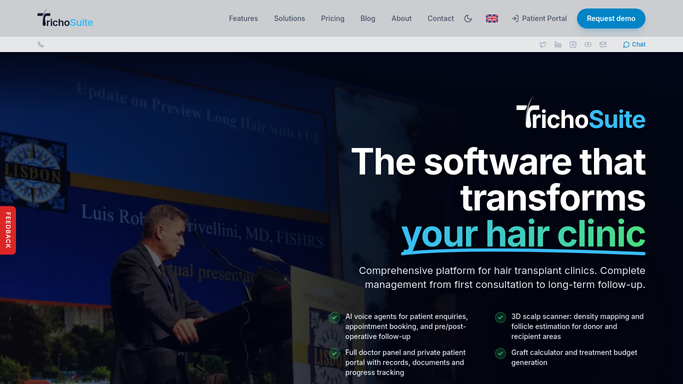
WebRun opens TrichoSuite to check photo consent status. - Open TrichoSuite and list patients whose before and after results are queued for a feature
- Read the photo-use consent status and its expiry date for each
- Flag anyone whose consent is expired, missing, or marked withdrawn
Done when Every queued result has a clear consent status and expiry.
-
2
Google Drive - verify the signed consent form
drive.google.com How to Automate Google Drive

WebRun opens Google Drive to verify the signed consent form. - Open the signed consent folder in Google Drive
- Confirm a current signed photo-use form exists for each queued patient
- Note any patient whose form is absent or past its consent term
Done when Each queued patient is matched to a current signed consent form or flagged.
-
3
Instagram - hold a draft until consent clears
WebRun opens Instagram to hold a draft until consent clears. - Prepare the before and after as an Instagram draft only for patients with confirmed current consent
- For expired or missing consent, hold the post and draft a consent renewal request instead of publishing
- Leave every post unpublished as a draft for your team to review and approve. Never post a result on its own
Done when Only consent-cleared results are drafted, and none are published without approval.
How is each run configured?
Secure by default
Connect once, stays signed in
WebRun signs in once and keeps each session in a persistent environment, so every run picks up right where it left off.
Instagram
Sign in once
Every action is checked against this policy before it runs.
Questions, answered
Will it post a before and after without my approval?
No. WebRun only prepares Instagram drafts and never publishes. Every post is held for your team to review, and any result without current consent is held back rather than posted.
How does it confirm consent is still valid?
It checks the consent status and expiry in TrichoSuite and confirms a current signed form in Google Drive, flagging any patient whose consent is expired, missing, or withdrawn before a draft is prepared.
What happens when consent has expired?
It holds the post and drafts a consent renewal request for your team to send instead, so a result is never featured on expired or withdrawn permission.
Related templates
Instagram›Put this on autopilot.
Turn it on in minutes - or have our team set it up for you.