Catch Gupshup delivery failures before they pile up
Every hour, WebRun checks the Gupshup console for message delivery failures and template rejections across your WhatsApp and SMS channels, posts an hourly digest to Slack, and sends an immediate Telegram alert if the failure rate crosses your threshold so a broken template gets caught fast.
- No credit card
- Under $0.01 per run
- Cancel anytime
How do I catch Gupshup message delivery failures fast?
WebRun checks the Gupshup console every hour for delivery failures and template rejections across your messaging channels, posts an hourly digest to Slack, and sends an immediate Telegram alert if the failure rate crosses your threshold, so a broken template or channel issue gets caught within the hour it starts.
- Failure spikes are caught within the hour they start
- Template rejections are named, not just counted
- Slack keeps the steady record, Telegram flags only real escalations
Built for messaging operations · CRM teams · growth teams · customer engagement teams
What does WebRun do on every run?
The exact actions WebRun takes, in order - in plain language, so you can adjust anything.
-
WebRun signs in and gets to work
Opens
console.gupshup.ioin a real browser with your saved login - no setup, no API keys. -
1
Gupshup - check delivery failures and rejections
gupshup.io
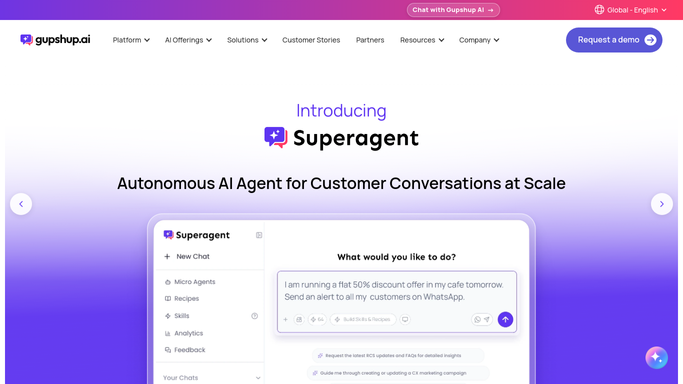
WebRun opens Gupshup to check delivery failures and rejections. - Open the Gupshup console and load the last hour's delivery report
- Count failed deliveries and any rejected templates
- Calculate the failure rate against total sent
Done when The last hour's delivery failure rate is known.
-
2
Slack - post the hourly digest
slack.com How to Automate Slack

WebRun opens Slack to post the hourly digest. - Post the total sent, delivered, and failed counts to the team channel
- Name any template that was rejected
- Keep the digest to one short message
Done when The team has the hour's delivery digest in Slack.
-
3
Telegram - escalate on threshold breach
telegram.org How to Automate Telegram

WebRun opens Telegram to escalate on threshold breach. - Send an immediate Telegram alert if the failure rate crosses the threshold
- Name the affected channel and the failure rate reached
- Skip the alert on an hour within threshold
Done when The team is alerted the same hour a failure spike happens.
How is each run configured?
Secure by default
Connect once, stays signed in
WebRun signs in once and keeps each session in a persistent environment, so every run picks up right where it left off.
Every action is checked against this policy before it runs.
Questions, answered
Does WebRun resend failed messages?
No. It only reads delivery status from the Gupshup console and reports on it. Resending or fixing a template is done by your team.
What usually causes a delivery failure?
Common causes include a rejected WhatsApp template, an invalid number, or a channel outage, and the digest names the affected channel so the cause is easy to trace.
Why get both a Slack digest and a Telegram alert?
The Slack digest is the steady hourly record. Telegram is reserved for the moment the failure rate actually crosses your threshold, so it stays for genuine escalations only.
Related templates
Put this on autopilot.
Turn it on in minutes - or have our team set it up for you.