Draft program guideline change notices for all active grantees
When you upload a list of updated program guidelines or indirect cost rate changes, WebRun opens Submittable, identifies every active grantee affected by the change, logs them to a notification tracking sheet, and drafts a tailored notice in Mailchimp for your grants officer to approve before any message is sent to a grantee.
- No credit card
- Under $0.01 per run
- Cancel anytime
How do I notify all active grantees when grant program guidelines change?
When program guidelines or indirect cost rates change, WebRun identifies every affected active grantee in Submittable, logs them to a notification tracking sheet in Google Sheets, and drafts a tailored change notice in Mailchimp for each one. Your grants officer reviews and approves every draft before any communication reaches a grantee.
- Every affected active grantee is identified within minutes of uploading the change list
- Tailored notices are drafted per grantee, not sent as a one-size-fits-all bulk email
- No grantee receives a notice without explicit grants officer approval
Built for grantmakers · foundation compliance officers · grant program managers · federal and state grant administrators
What does WebRun do on every run?
The exact actions WebRun takes, in order - in plain language, so you can adjust anything.
-
WebRun signs in and gets to work
Opens
app.submittable.comin a real browser with your saved login - no setup, no API keys. -
1
Submittable - identify affected active grantees
submittable.com How to Automate Submittable
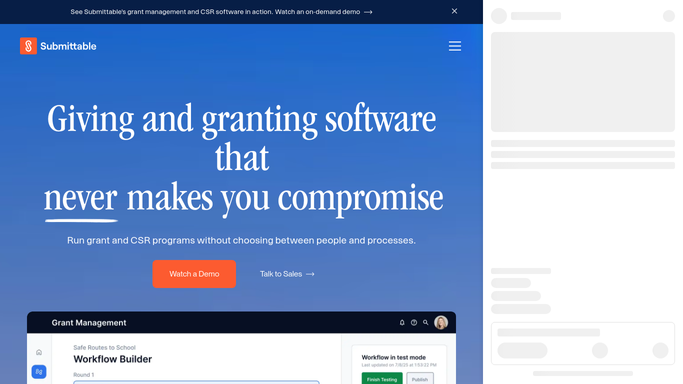
WebRun opens Submittable to identify affected active grantees. - Open Submittable and filter active award records by the affected program name or fund type
- Compile a list of grantees with active awards under the changed program, including their name, email, award amount, and grant period
- Exclude grantees whose awards have already closed or are in final reporting stage
Done when Every active grantee affected by the guideline change is identified with their contact and award details.
-
2
Google Sheets - log notification tracking list
google.com How to Automate Google Sheets

WebRun opens Google Sheets to log notification tracking list. - Open the notification tracking sheet for this change event
- Log each affected grantee as a row with their name, organization, email, award amount, and notification status
- Create a summary row showing total grantees to be notified and the effective date of the change
Done when The notification tracking sheet is populated with all affected grantees and ready for review.
-
3
Mailchimp - draft notices for approval
mailchimp.com How to Automate Mailchimp

WebRun opens Mailchimp to draft notices for approval. - Draft a tailored notice for each affected grantee naming their specific award and explaining how the guideline change applies to them
- Include the effective date, any required grantee actions, and a contact for questions
- Queue every draft for grants officer review and approval before any notice is sent
Done when Tailored notice drafts are queued in Mailchimp for grants officer approval. No notices are sent automatically.
How is each run configured?
Secure by default
Connect once, stays signed in
WebRun signs in once and keeps each session in a persistent environment, so every run picks up right where it left off.
Every action is checked against this policy before it runs.
Questions, answered
Will it send guideline change notices to grantees automatically?
No. Every notice is drafted in Mailchimp and queued for the grants officer to review and approve. No message reaches any grantee until a human explicitly approves and sends it.
How does it know which grantees are affected by a specific change?
It filters Submittable by the program name or fund type you specify in the uploaded change list, so only grantees with active awards under that program are included.
Can it handle changes that affect multiple programs at once?
Yes. You can upload a change list that spans multiple programs. It identifies the affected grantees per program and drafts appropriately tailored notices for each group.
Related templates
Put this on autopilot.
Turn it on in minutes - or have our team set it up for you.