Keep every kart on its service schedule
Every night, WebRun reads the day's sessions and kart allocations in RaceFacer, adds each kart's run time to a running total in a Google Sheet, and posts staff a Slack list of which karts have crossed their service interval and should rotate out for maintenance.
- No credit card
- Under $0.01 per run
- Cancel anytime
How do I track go-kart run hours for a maintenance rotation?
WebRun keeps every kart on its service schedule. Each night it reads the day's sessions and kart allocations in RaceFacer, adds run time to each kart's running total in a Google Sheet, and posts staff a Slack list of karts that have crossed their service interval and should rotate out for maintenance.
- Karts rotate out for service on hours, not guesswork
- Every kart carries an accurate run-hours total
- Staff see the service-due fleet each night without a clipboard
Built for go-kart tracks · karting centers · kart mechanics · track managers
What does WebRun do on every run?
The exact actions WebRun takes, in order - in plain language, so you can adjust anything.
-
WebRun signs in and gets to work
Opens
www.racefacer.com/enin a real browser with your saved login - no setup, no API keys. -
1
RaceFacer - tally kart run hours
racefacer.com How to Automate RaceFacer
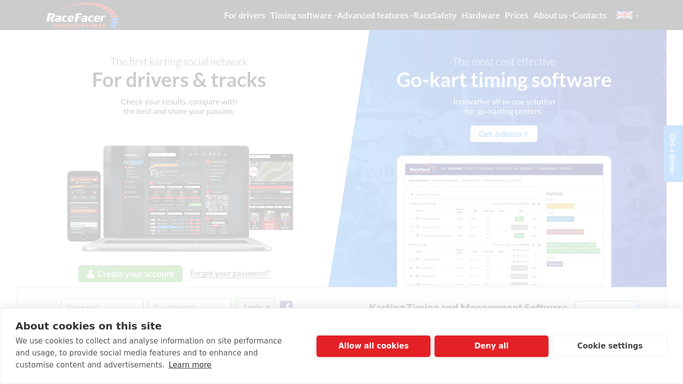
WebRun opens RaceFacer to tally kart run hours. - Open RaceFacer and read today's sessions with the karts allocated to each
- Add up run time per kart from the session lengths and allocations
- Capture each kart number and the hours it ran today
Done when Today's run hours are tallied for every kart used.
-
2
Google Sheets - log the running totals
docs.google.com How to Automate Google Sheets

WebRun opens Google Sheets to log the running totals. - Open the kart maintenance sheet
- Add today's hours to each kart's running total since its last service
- Flag karts whose total has crossed the service interval you set
Done when Every kart's running total is updated in the sheet.
-
3
Slack - post the service-due list
slack.com How to Automate Slack

WebRun opens Slack to post the service-due list. - Post a short list to the operations channel of karts now due for service
- Show each kart number, its hours since last service, and how far over the interval it is
- Suggest rotating the most overdue karts out first
Done when Staff have tonight's service-due list in Slack.
How is each run configured?
Secure by default
Connect once, stays signed in
WebRun signs in once and keeps each session in a persistent environment, so every run picks up right where it left off.
Every action is checked against this policy before it runs.
Questions, answered
Does it message customers?
No. This workflow is entirely internal. WebRun updates a maintenance sheet and posts a staff Slack list, so nothing reaches a racer or the public at any point.
How does it know a kart is due?
You set the service interval in run hours. WebRun keeps a running total per kart in the sheet and flags each one the moment its hours since last service cross that interval.
How do I reset a kart after servicing?
When a kart is serviced, mark its row in the sheet as reset. WebRun starts its running total again from zero on the next nightly run.
Related templates
Put this on autopilot.
Turn it on in minutes - or have our team set it up for you.