Get every incoming resident credentialed before day one
Every Monday before the new resident start date, WebRun opens MedHub, checks each incoming resident's onboarding checklist for missing items such as medical license, DEA registration, hospital badge request, EMR access, and BLS or ACLS certification, posts the GME office a Slack status update by resident, and drafts a catch-up Zoom session for anyone still missing items with less than two weeks to go.
- No credit card
- Under $0.01 per run
- Cancel anytime
How do I track incoming resident credentialing gaps before their start date?
WebRun checks MedHub's onboarding checklist every Monday for each incoming resident, flagging outstanding items like license, DEA registration, badge requests, and required certifications. It posts the GME office a Slack status update sorted by start date, and drafts a Zoom catch-up invite for anyone still missing items inside two weeks, left for the office to send.
- Credentialing gaps surface weeks before the start date instead of on day one
- GME office gets a sorted status update instead of chasing each item by hand
- Stragglers inside the two week window get a drafted catch-up automatically
Built for GME program coordinators · medical staff credentialing offices · residency program directors · academic medical centers
What does WebRun do on every run?
The exact actions WebRun takes, in order - in plain language, so you can adjust anything.
-
WebRun signs in and gets to work
Opens
www.medhub.comin a real browser with your saved login - no setup, no API keys. -
1
MedHub - check the onboarding checklist for gaps
medhub.com How to Automate MedHub
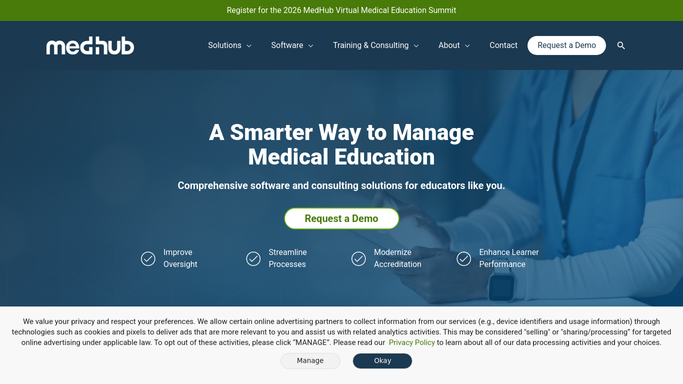
WebRun opens MedHub to check the onboarding checklist for gaps. - Open MedHub and pull each incoming resident's onboarding checklist
- Note which items are still outstanding, such as license, DEA, badge request, EMR access, and required certifications
- Calculate days remaining until each resident's start date
Done when Every incoming resident's checklist status is captured with days remaining until start.
-
2
Slack - post the GME office a status update
slack.com How to Automate Slack

WebRun opens Slack to post the GME office a status update. - Post the GME office a status update listing each incoming resident and their outstanding items
- Sort by days remaining until start, soonest first
- Call out anyone with fewer than 14 days remaining and items still open
Done when The GME office has this week's onboarding status update in Slack.
-
3
Zoom - draft a catch-up session for stragglers
zoom.us How to Automate Zoom

WebRun opens Zoom to draft a catch-up session for stragglers. - For any resident with fewer than 14 days remaining and open items, draft a catch-up session invite with the GME office
- Include the specific outstanding items in the invite description
- Leave the invite as a draft for the GME office to confirm the time before it's sent
Done when A catch-up session is drafted for every incoming resident still missing items inside the two-week window.
How is each run configured?
Secure by default
Connect once, stays signed in
WebRun signs in once and keeps each session in a persistent environment, so every run picks up right where it left off.
Every action is checked against this policy before it runs.
Questions, answered
Will it send the Zoom invite to the resident without review?
No. WebRun drafts the catch-up invite and leaves it for the GME office to confirm the time and send. Nothing goes to the incoming resident automatically.
What onboarding items does it track?
Whatever your program has configured in MedHub's onboarding checklist, typically medical license, DEA registration, hospital badge request, EMR access, and BLS or ACLS certification.
What if a resident finishes an item mid-week?
It rereads MedHub's live checklist status every Monday, so a completed item is reflected on the next run and drops off the outstanding list.
Related templates
Put this on autopilot.
Turn it on in minutes - or have our team set it up for you.