Know who can open every Grist document
Every Monday, WebRun opens Grist, walks each workspace and document, reads who has access and at what level, notes the access rules and any share link that is open beyond your team, posts a full audit to Slack, and alerts you in Telegram about anything shared publicly or with a stale collaborator.
- No credit card
- Under $0.01 per run
- Cancel anytime
How do I audit who has access to our Grist documents?
WebRun audits Grist document access every Monday. It walks each workspace, reads who can open every document and at what level, checks access rules and share links, posts the full audit to Slack, and alerts you in Telegram about public links and stale collaborators.
- Every document shared outside the team is named each Monday
- Public share links are flagged the week they appear
- Stale collaborators surface so access matches who needs it
Built for data owners · operations teams · IT security · startups
What does WebRun do on every run?
The exact actions WebRun takes, in order - in plain language, so you can adjust anything.
-
WebRun signs in and gets to work
Opens
docs.getgrist.comin a real browser with your saved login - no setup, no API keys. -
1
Grist - read document sharing
getgrist.com
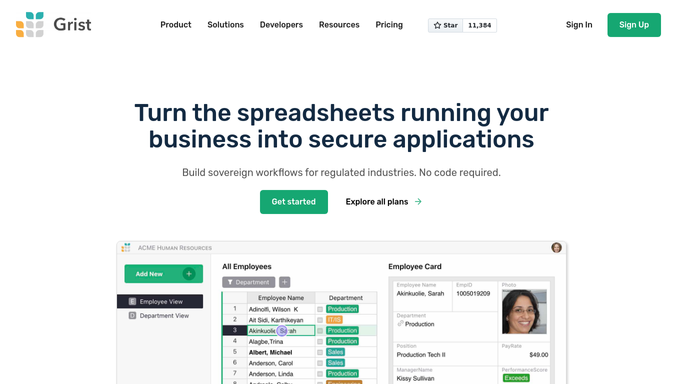
WebRun opens Grist to read document sharing. - Open Grist and list every workspace and the documents inside it
- For each document, read the team members with access and the level each one holds
- Note any access rules in place and any share link that is open beyond your team
Done when Every document has a current list of who can open it and at what level.
-
2
Slack - post the access audit
slack.com How to Automate Slack

WebRun opens Slack to post the access audit. - Post the weekly access audit to your data channel, grouped by workspace
- Show each document with its collaborator count and anyone outside your team
- Compare against last week and call out access that was added or removed
Done when The full access audit is in Slack with this week's changes marked.
-
3
Telegram - alert on open share links
telegram.org How to Automate Telegram

WebRun opens Telegram to alert on open share links. - Send a short alert naming any document reachable by an open share link
- Add collaborators who have not opened a document in months so stale access can be removed
- Keep the alert to exceptions so a quiet week means nothing needs attention
Done when You have been alerted about every public link and stale collaborator.
How is each run configured?
Secure by default
Connect once, stays signed in
WebRun signs in once and keeps each session in a persistent environment, so every run picks up right where it left off.
Every action is checked against this policy before it runs.
Questions, answered
Does it change or revoke access?
No. WebRun reads sharing settings and reports them. Removing a collaborator or turning off a share link stays a deliberate action you take in Grist yourself.
Does it read the data inside the documents?
No. This run never opens the rows. It reads workspace and document sharing, access rules, and link settings, so sensitive table contents are never copied into Slack.
What counts as an exception worth a Telegram alert?
A document reachable by an open share link, access granted to someone outside your team, or a collaborator who has not opened the document in months. Everything else stays in the Slack audit.
Related templates
Put this on autopilot.
Turn it on in minutes - or have our team set it up for you.