Never skip a moisture test before a coating install
Every morning, WebRun opens CoatingOS, looks at coating installs booked in the next couple of weeks, finds any slab with no moisture test logged, holds a test window on your Google Calendar, and drafts a heads-up text through Twilio for the homeowner, left unsent for your approval.
- No credit card
- Under $0.01 per run
- Cancel anytime
How do I schedule a moisture test before every coating install?
WebRun makes sure every slab gets a moisture test first. Each morning it scans upcoming coating installs in CoatingOS, flags any with no test logged, holds a test window on your Google Calendar ahead of coating day, and drafts a homeowner heads-up in Twilio, left unsent so you approve the date and message.
- No slab gets coated without a moisture test on file
- Failed readings surface with time to fix them
- Homeowners hear about the test visit before it happens
Built for garage floor coating contractors · epoxy installers · polyaspartic coating companies · concrete coating crews
What does WebRun do on every run?
The exact actions WebRun takes, in order - in plain language, so you can adjust anything.
-
WebRun signs in and gets to work
Opens
app.coatingos.comin a real browser with your saved login - no setup, no API keys. -
1
CoatingOS - find installs missing a test
coatingos.com How to Automate CoatingOS
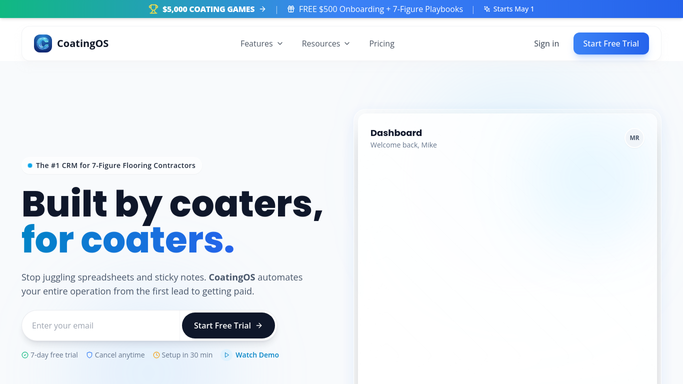
WebRun opens CoatingOS to find installs missing a moisture test. - Open CoatingOS and list coating installs booked in the next two weeks
- Check each job for a logged concrete moisture test result
- Capture the address and install date for any slab with no test on file
Done when Every upcoming install without a moisture test is identified.
-
2
Google Calendar - book the test window
calendar.google.com How to Automate Google Calendar

WebRun opens Google Calendar to hold a moisture-test window. - Open Google Calendar and find a test window a few days before each install
- Place a tentative moisture-test hold with the address and slab details
- Make sure the test sits far enough ahead of coating day to act on a bad result
Done when A moisture-test window is held ahead of each at-risk install.
-
3
Twilio - draft the homeowner heads-up
twilio.com How to Automate Twilio

WebRun drafts the moisture-test heads-up in Twilio and holds it. - Draft a short heads-up text through Twilio letting the homeowner know a technician will run a quick moisture test
- Include the proposed date and what access is needed
- Queue the text in Twilio but leave it unsent for you to approve
Done when A heads-up text is drafted in Twilio for each test, none sent automatically.
How is each run configured?
Secure by default
Connect once, stays signed in
WebRun signs in once and keeps each session in a persistent environment, so every run picks up right where it left off.
Every action is checked against this policy before it runs.
Questions, answered
Will it text the homeowner without me?
No. WebRun holds the test window on your calendar and drafts the heads-up text in Twilio, but leaves it unsent. You confirm the date and release the message yourself.
How does it know a slab still needs testing?
It checks each upcoming install in CoatingOS for a logged moisture test result and only flags slabs with none on file, so you do not chase tests already done.
Why book the test days before the install?
It places the test window with enough lead time that a failed reading can be acted on, so a wet slab is caught before crews show up to coat it.
Related templates
Put this on autopilot.
Turn it on in minutes - or have our team set it up for you.