Catch slipping deadlines on your GanttPRO timeline
Every morning, WebRun opens GanttPRO, compares each task's progress to where it should be against its deadline, posts a slippage digest to the project's Telegram group, and texts you if a critical-path task is behind.
- No credit card
- Under $0.01 per run
- Cancel anytime
How do I catch slipping deadlines in GanttPRO before they cost the project?
WebRun checks GanttPRO every morning, compares each task's progress to where it should be against its deadline, and posts a slippage digest to your project's Telegram group. If a delayed task sits on the critical path, it also sends a text, so the deadlines that actually move the project end date get noticed first.
- Critical path slippage triggers a text the same morning it appears
- The whole team sees the slippage digest without opening the Gantt chart
- Tasks that catch up drop off the list automatically
Built for project managers · construction planners · engineering leads · PMO teams
What does WebRun do on every run?
The exact actions WebRun takes, in order - in plain language, so you can adjust anything.
-
WebRun signs in and gets to work
Opens
ganttpro.comin a real browser with your saved login - no setup, no API keys. -
1
GanttPRO - find tasks behind schedule
ganttpro.com
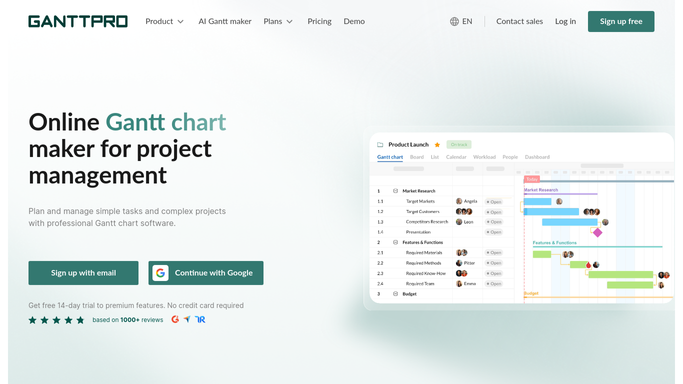
WebRun opens GanttPRO to find tasks behind schedule. - Open GanttPRO and compare each task's progress percent to where it should be against its deadline
- Flag tasks running behind schedule
- Note which flagged tasks sit on the critical path
Done when Every behind-schedule task is listed with its owner and deadline.
-
2
Telegram - post the slippage digest
telegram.org How to Automate Telegram

WebRun opens Telegram to post the slippage digest. - Post the full list of behind-schedule tasks to the project Telegram group
- Group tasks by owner
- Mark which ones are on the critical path
Done when The team has today's slippage digest in Telegram.
-
3
Twilio - text critical path tasks only
twilio.com How to Automate Twilio

WebRun opens Twilio to text critical path tasks only. - Send a text only for tasks on the critical path that are behind schedule
- Keep the message to the task name and days behind
- Skip this step if nothing critical is behind
Done when Every critical-path task behind schedule has triggered a text.
How is each run configured?
Secure by default
Connect once, stays signed in
WebRun signs in once and keeps each session in a persistent environment, so every run picks up right where it left off.
Every action is checked against this policy before it runs.
Questions, answered
Will it change any dates or dependencies?
No. WebRun only reads task progress against the plan you built in GanttPRO. It never edits a date, dependency, or the critical path.
Why does only some tasks get a text?
Texts are reserved for tasks on the critical path that are behind schedule, since those are the ones that push the whole project's end date.
What if a task catches up later?
The next morning's check reads live progress, so a task that's back on track drops out of the digest automatically.
Related templates
Put this on autopilot.
Turn it on in minutes - or have our team set it up for you.