Keep obituary publishing on track across every channel
When a new case is opened in Passare, WebRun gathers the service details, drafts obituary copy for director review, builds a publication checklist in Google Sheets, and posts a task summary to Slack so the team knows what needs approval and submission.
- No credit card
- Under $0.01 per run
- Cancel anytime
How do I coordinate obituary publishing across my funeral home website and local newspapers?
WebRun pulls new case details from Passare, drafts obituary copy in FrontRunner Professional for director review, and builds a publication checklist in Google Sheets covering every required channel. The team receives a Slack alert with pending steps. Nothing is published until a director approves.
- Every new case gets an obituary draft and a publication checklist within minutes
- Directors review and approve all copy before any public posting
- No publication deadline or channel is missed across website and newspapers
Built for funeral directors · funeral home administrators · mortuary staff
What does WebRun do on every run?
The exact actions WebRun takes, in order - in plain language, so you can adjust anything.
-
WebRun signs in and gets to work
Opens
app.passare.comin a real browser with your saved login - no setup, no API keys. -
1
Passare - pull new case details
passare.com
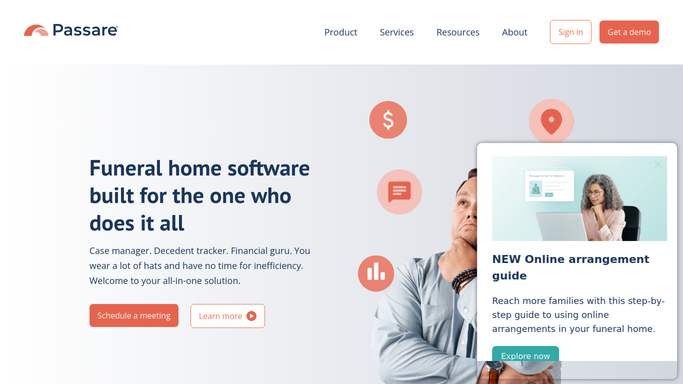
WebRun opens Passare to pull new case details. - Open Passare and retrieve the new case details: name, dates, survivors, and service information
- Confirm all required fields are present before proceeding
- Flag any missing details in the checklist so staff can collect them
Done when All available case details are captured and any gaps are flagged.
-
2
FrontRunner Professional - draft obituary for website
frontrunnerpro.com
WebRun opens FrontRunner Professional to draft obituary for website. - Open FrontRunner Professional and navigate to the obituary creation section
- Draft the obituary copy using the case details from Passare
- Save as a draft for director review. Do not publish to the website without director approval
- Note which local papers require a separate submission and their deadlines
Done when Obituary copy is saved as a draft in FrontRunner Professional, awaiting director review before publication.
-
3
Google Sheets - track publication checklist
google.com How to Automate Google Sheets

WebRun opens Google Sheets to track publication checklist. - Add a new row to the obituary tracking sheet for this case
- Log the case name, obituary draft status, each publication channel, and deadline
- Mark each channel as Pending until a director confirms submission
Done when The case has a complete checklist row in the publication tracker with all channels listed.
-
4
Slack - notify team of pending steps
slack.com How to Automate Slack

WebRun opens Slack to notify team of pending steps. - Post a summary to the funeral team channel listing the new case, the draft status, and any outstanding checklist items
- Include a link to the Google Sheets tracker row for easy follow-up
Done when The team has been notified of the new obituary draft and the steps remaining for publication.
How is each run configured?
Secure by default
Connect once, stays signed in
WebRun signs in once and keeps each session in a persistent environment, so every run picks up right where it left off.
Every action is checked against this policy before it runs.
Questions, answered
Will it publish the obituary to the website automatically?
No. The obituary is saved as a draft in FrontRunner Professional. A director must review and approve the copy before it is published to the website or submitted to any newspaper.
Which publication channels does it track?
The checklist covers your funeral home website in FrontRunner Professional plus any local paper submissions you configure. You can add or remove channels from the tracking sheet at any time.
What if case details are missing when the case is first opened?
Any missing required fields are flagged in the checklist and noted in the Slack alert so staff know exactly what to collect before the obituary can be finalized.
Related templates
Put this on autopilot.
Turn it on in minutes - or have our team set it up for you.