Find out which lead sources become real appointments
Every Monday, WebRun opens Follow Up Boss, groups last week's people by lead source, counts how many reached an appointment stage and how many became deals, writes the per source table to Airtable, and posts a short read of what is converting to Notion.
- No credit card
- Under $0.01 per run
- Cancel anytime
How do I find out which lead sources actually turn into appointments?
WebRun opens Follow Up Boss every Monday, groups last week's people by lead source, and follows each group through to appointments and deals. It writes the per source counts and conversion rates to Airtable and posts a short read to Notion, so portal fees that never produce an appointment get cut.
- Every lead source carries an appointment and deal count, not just volume
- Portal fees with no appointments are visible within a week
- Source performance builds into a trend instead of a one-off snapshot
Built for real estate brokerages · team leads · agents · marketing managers
What does WebRun do on every run?
The exact actions WebRun takes, in order - in plain language, so you can adjust anything.
-
WebRun signs in and gets to work
Opens
app.followupboss.comin a real browser with your saved login - no setup, no API keys. -
1
Follow Up Boss - group leads by source
followupboss.com
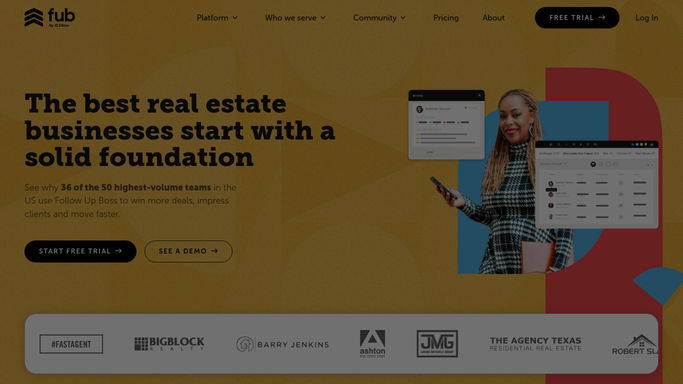
WebRun opens Follow Up Boss to group leads by source. - Open Follow Up Boss and filter people to those created in the last week
- Group them by lead source and count the leads in each group
- For each source, count how many reached an appointment stage and how many have an open or closed deal
- Note the assigned agent so a source with one strong agent is not mistaken for a strong source
Done when Every lead source has a lead count, an appointment count, and a deal count.
-
2
Airtable - log the per source numbers
airtable.com How to Automate Airtable

WebRun opens Airtable to log the per source numbers. - Add one row per lead source for the week with leads, appointments, and deals
- Calculate the lead to appointment rate and the appointment to deal rate
- Keep prior weeks in the same table so a trend is visible, not just a snapshot
Done when This week's per source conversion table is stored in Airtable.
-
3
Notion - write the weekly read
notion.so How to Automate Notion

WebRun opens Notion to write the weekly read. - Post a short weekly read to the brokerage page
- Name the sources with volume but no appointments and the sources converting above average
- Call out any source that has produced no appointment for four weeks running
Done when The owner has this week's lead source read in Notion.
How is each run configured?
Secure by default
Connect once, stays signed in
WebRun signs in once and keeps each session in a persistent environment, so every run picks up right where it left off.
Every action is checked against this policy before it runs.
Questions, answered
Does it change anything in my CRM?
No. WebRun only reads Follow Up Boss. It never edits a person, moves a stage, or contacts a lead. The numbers are written to Airtable and Notion, which are your own internal boards.
What if a source has only a handful of leads?
It is still counted, and the raw lead number sits next to the rate so a source with three leads and one appointment is not read as a 33 percent winner. Small samples are visible as small.
Can it show whether it is the source or the agent?
Yes. Each source row carries the assigned agents behind it, so a source that only converts for one agent shows up as an agent story rather than a source story.
Related templates
Put this on autopilot.
Turn it on in minutes - or have our team set it up for you.