Chase the quotes that clients have not approved yet
Every Monday, WebRun signs in to Fatture in Cloud, lists every quote still waiting on a client decision with its value, its age, and its expiry date, checks which ones already became invoices, posts the chase list to Slack, and sends the total value still in play to Telegram.
- No credit card
- Under $0.01 per run
- Cancel anytime
How do I keep track of quotes clients have not approved yet?
WebRun signs in to Fatture in Cloud every Monday and lists every quote still waiting on a client decision, with its value, its age, and its expiry date. It posts the chase list to Slack, ranked by expiry and value, and sends the total still in play to Telegram, so aging quotes get a call.
- Aging quotes are chased before they expire unanswered
- The total value still in play is visible every Monday
- Accepted quotes drop off the list on their own
Built for Italian small businesses · freelancers · consultants · studio owners · sales teams
What does WebRun do on every run?
The exact actions WebRun takes, in order - in plain language, so you can adjust anything.
-
WebRun signs in and gets to work
Opens
secure.fattureincloud.it/loginin a real browser with your saved login - no setup, no API keys. -
1
Fatture in Cloud - list quotes awaiting approval
fattureincloud.it
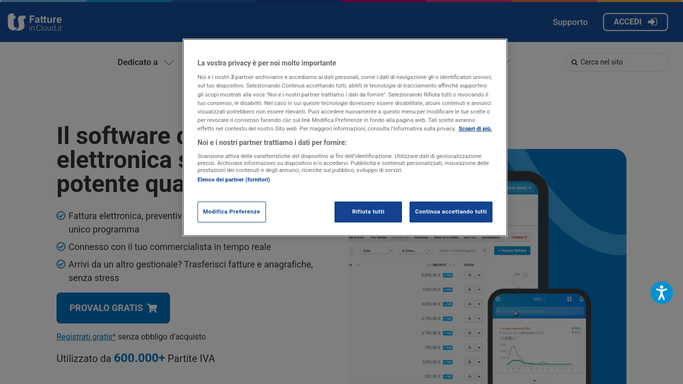
WebRun opens Fatture in Cloud to list quotes awaiting approval. - Sign in to Fatture in Cloud and filter quotes to those not yet accepted or rejected
- For each quote capture the client, the value, the date sent, and the expiry date
- Drop any quote that has already been turned into an invoice, and count the days each remaining one has been open
Done when Every quote still awaiting a decision is listed with its client, value, age, and expiry.
-
2
Slack - post the chase list
slack.com How to Automate Slack

WebRun opens Slack to post the chase list. - Post the chase list to your sales channel, highest value first inside each expiry band
- Show the client, the amount, the days open, and the days left before the quote expires
- Mark quotes expiring within seven days so they get a call this week. WebRun does not contact the client
Done when The sales channel has this week's quote chase list with expiry warnings.
-
3
Telegram - report the value in play
telegram.org How to Automate Telegram

WebRun opens Telegram to report the value in play. - Send the owner a short summary: total value of open quotes and how it moved since last week
- Split the total into quotes under 14 days old and those aging beyond that
- Name the three largest quotes still undecided so the biggest deals are top of mind
Done when The owner has the open quote total and the largest deals in Telegram.
How is each run configured?
Secure by default
Connect once, stays signed in
WebRun signs in once and keeps each session in a persistent environment, so every run picks up right where it left off.
Every action is checked against this policy before it runs.
Questions, answered
Will it email clients to chase a quote?
No. WebRun posts the chase list to your own Slack channel and Telegram. Emailing or calling a client, and converting a quote into an invoice, stay with you.
Does it turn accepted quotes into invoices?
No. It only reads quote status. If a quote already became an invoice it drops off the list, but WebRun never issues, edits, or sends an invoice itself.
How does it order the chase list?
It groups quotes by how soon they expire, then sorts by value inside each group, so a large quote about to lapse sits at the very top of the list.
Related templates
Put this on autopilot.
Turn it on in minutes - or have our team set it up for you.