Reconcile grain sale settlements to the bank
Every Monday, WebRun opens Traction Ag, lists the grain sale settlements recorded, matches each against the deposits in QuickBooks, ties settlement to payment, and sends you a Telegram digest of what reconciled cleanly and which settlements are still unpaid or short.
- No credit card
- Under $0.01 per run
- Cancel anytime
How do I reconcile grain sale settlements to bank deposits automatically?
Every Monday, WebRun opens Traction Ag, lists your grain sale settlements, and matches each against the deposits in QuickBooks. It ties settlement to payment, flags anything unpaid or short, and sends you a Telegram digest of what reconciled cleanly and what is still owed, so a missing grain payment surfaces the same week instead of at month end.
- Unpaid or short grain settlements surface the same week
- Every settlement is tied to its deposit so nothing is missed
- Month end reconciliation is already done because it runs weekly
Built for grain farmers · farm bookkeepers · grain marketers · farm accountants
What does WebRun do on every run?
The exact actions WebRun takes, in order - in plain language, so you can adjust anything.
-
WebRun signs in and gets to work
Opens
tractionag.comin a real browser with your saved login - no setup, no API keys. -
1
Traction Ag - list the grain settlements
tractionag.com How to Automate Traction Ag
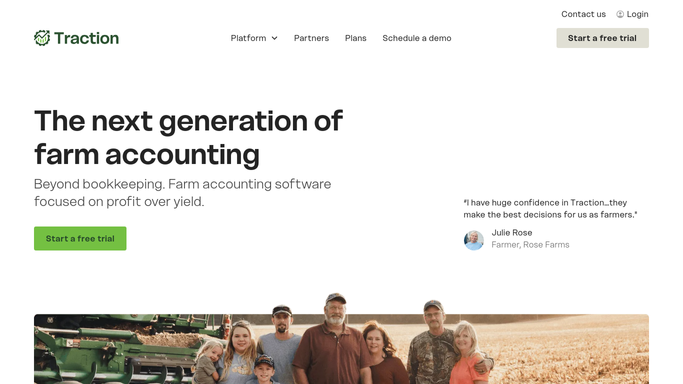
WebRun opens Traction Ag to list the grain sale settlements for the period. - Open Traction Ag and list the grain sale settlements recorded for the period
- Capture the buyer, contract, bushels, and net settlement amount for each
- Note the expected payment date so overdue settlements can be flagged
Done when Every grain settlement for the period has been listed with its buyer and net amount.
-
2
QuickBooks - match the deposits
- Open QuickBooks and match each settlement to the deposit that paid it
- Tie the amount and date so cleanly paid settlements reconcile
- Capture any settlement with no matching deposit, or a deposit that came in short
Done when Each settlement is either matched to a deposit or flagged as unpaid or short.
-
3
Telegram - send the reconciliation digest
telegram.org How to Automate Telegram

WebRun sends you a Telegram digest of matched and unpaid grain settlements. - Send you a digest of settlements that reconciled cleanly and the total paid
- List any settlement still unpaid or short with the buyer and amount
- Keep it an internal digest for you, with no message to a grain buyer
Done when You have this week's grain reconciliation digest on Telegram.
How is each run configured?
Secure by default
Connect once, stays signed in
WebRun signs in once and keeps each session in a persistent environment, so every run picks up right where it left off.
Every action is checked against this policy before it runs.
Questions, answered
Does it change anything in my books?
No. WebRun reads the settlements in Traction Ag and the deposits in QuickBooks and compares them, then sends you a digest. It does not post entries or alter records, so the reconciliation is yours to act on.
Is it safe to auto-send the digest to Telegram?
Yes. The digest is an internal summary for you, so WebRun sends it on its own each week. No grain buyer is contacted and nothing in your books changes, so there is nothing to approve.
How does it spot a settlement that came in short?
It ties each settlement amount in Traction Ag to the deposit in QuickBooks, so any deposit smaller than the settlement, or missing entirely, is flagged with the buyer and the gap for you to chase.
Related templates
Put this on autopilot.
Turn it on in minutes - or have our team set it up for you.