Reconcile aftermarket product remittances so nothing is underpaid
Every Monday, WebRun opens MenuMetric, pulls every aftermarket product sold and contracted, matches each against the remittance and the amount posted in QuickBooks, logs a line by line reconciliation to Google Sheets, and flags any product paid short, still unpaid, or priced differently than it was sold.
- No credit card
- Under $0.01 per run
- Cancel anytime
How do I automatically reconcile aftermarket F&I product remittances?
WebRun opens MenuMetric every Monday and pulls every aftermarket product sold, then matches each against provider remittance and the amounts posted in QuickBooks. It logs a line by line reconciliation to Google Sheets and flags any product paid short, unpaid, or mispriced, so the dealership collects every dollar of product revenue it earned.
- Underpaid and unpaid products surface every week instead of at year end, if ever
- The office sees the total dollar variance owed by each provider at a glance
- Mispriced postings are caught before they distort F&I profit reporting
Built for dealership controllers · F&I managers · office managers · dealer accounting teams
What does WebRun do on every run?
The exact actions WebRun takes, in order - in plain language, so you can adjust anything.
-
WebRun signs in and gets to work
Opens
app.menumetric.comin a real browser with your saved login - no setup, no API keys. -
1
MenuMetric - pull aftermarket products sold
menumetric.com How to Automate MenuMetric
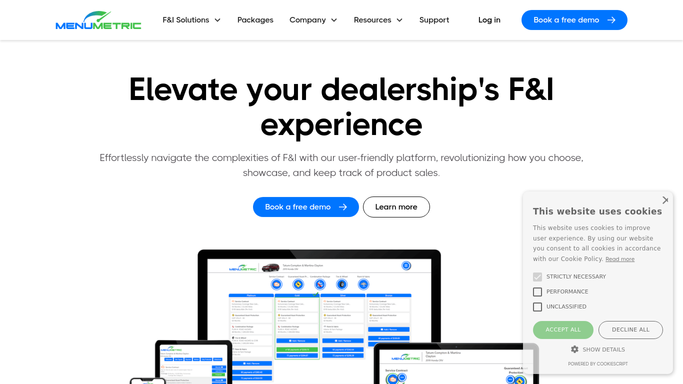
WebRun opens MenuMetric to pull aftermarket products sold. - Open MenuMetric and pull every aftermarket product sold and contracted in the period
- Capture the deal, product, provider, sold price, and cost for each
- Note which contracts are eContracted with the provider and which are pending
- Total the expected remittance owed per provider
Done when Every product sold has a provider, a sold price, and an expected remittance amount.
-
2
QuickBooks - match posted remittance amounts
- Open QuickBooks and find the provider remittance and product income postings for the period
- Match each posted amount back to its product and deal from MenuMetric
- Note products with no matching payment posted and payments that do not tie to a sold product
- Compare each posted amount against the expected remittance
Done when Each product is matched to a posted amount or marked as unpaid.
-
3
Google Sheets - log the reconciliation and variances
google.com How to Automate Google Sheets

WebRun opens Google Sheets to log the reconciliation and variances. - Open the Product Remittance Reconciliation sheet
- Log a row per product with sold price, expected remittance, posted amount, and the variance
- Flag any product paid short, still unpaid, or posted at a different price than sold
- Subtotal the total variance owed by provider so the biggest gaps are obvious
Done when The reconciliation is complete with every underpaid or unpaid product flagged by provider.
How is each run configured?
Secure by default
Connect once, stays signed in
WebRun signs in once and keeps each session in a persistent environment, so every run picks up right where it left off.
Every action is checked against this policy before it runs.
Questions, answered
Does it dispute the shortfall with the provider automatically?
No. WebRun builds the reconciliation and flags every underpaid or unpaid product in Google Sheets. Your office reviews the variances and raises any dispute with the provider.
How does it match a payment to the product that was sold?
It ties each QuickBooks remittance posting back to the deal and product in MenuMetric, so a payment that does not match a sold product and a product with no payment are both surfaced.
What counts as a variance worth flagging?
Any product paid less than its expected remittance, still unpaid past the usual remittance window, or posted at a different price than it was sold, each shown with the dollar gap.
Related templates
Put this on autopilot.
Turn it on in minutes - or have our team set it up for you.