Sync your EverWebinar schedule so a session is never uncovered
Every morning, WebRun opens EverWebinar, pulls the upcoming week's scheduled evergreen session times, syncs each one to the team's Google Calendar, and notifies the team in Microsoft Teams for any session that needs a host live for Q&A so coverage is arranged ahead of time.
- No credit card
- Under $0.01 per run
- Cancel anytime
How do I make sure every EverWebinar session has coverage?
WebRun checks EverWebinar every morning for the upcoming week's scheduled sessions, syncs each one to the team's Google Calendar, and notifies the team in Microsoft Teams for any live Q&A session that has no host assigned yet, so coverage gets arranged before a session goes out uncovered.
- The team calendar always matches the live EverWebinar schedule
- Uncovered live sessions are flagged a week ahead
- No live Q&A session airs without a host arranged
Built for webinar hosts · marketing teams · course creators · SaaS marketing
What does WebRun do on every run?
The exact actions WebRun takes, in order - in plain language, so you can adjust anything.
-
WebRun signs in and gets to work
Opens
everwebinar.comin a real browser with your saved login - no setup, no API keys. -
1
EverWebinar - pull upcoming session times
everwebinar.com
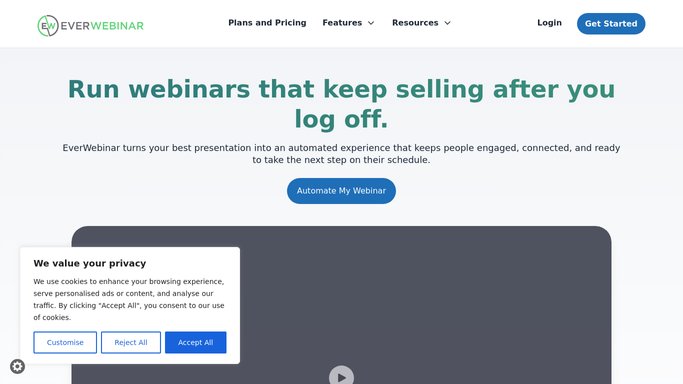
WebRun opens EverWebinar to pull upcoming session times. - Open EverWebinar and list scheduled sessions for the next 7 days
- Note which sessions have live Q&A enabled
- Flag any session with no host assigned yet
Done when The upcoming week's session schedule is known, live sessions flagged.
-
2
Google Calendar - sync the session schedule
calendar.google.com How to Automate Google Calendar

WebRun opens Google Calendar to sync the session schedule. - Add or update a calendar event for each upcoming session
- Mark events that need a live host for Q&A
- Keep the calendar matched to the current EverWebinar schedule
Done when The team calendar reflects the current EverWebinar schedule.
-
3
Microsoft Teams - notify the team on coverage needs
microsoft.com How to Automate Microsoft Teams

WebRun opens Microsoft Teams to notify the team on coverage needs. - Post a message naming any live session with no host assigned
- Include the session time and topic
- Skip the notification once every live session has a host
Done when The team has been notified in Teams about any uncovered session.
How is each run configured?
Secure by default
Connect once, stays signed in
WebRun signs in once and keeps each session in a persistent environment, so every run picks up right where it left off.
Every action is checked against this policy before it runs.
Questions, answered
Does WebRun assign a host to the session?
No. It only flags sessions with live Q&A enabled and no host assigned yet. Assigning a host is a decision your team makes.
What is the difference between a live and a fully automated session?
A fully automated EverWebinar session runs on its own and needs no host. A session with live Q&A enabled needs someone present, and that is what gets flagged for coverage.
How far ahead does the schedule sync look?
7 days out every morning, so a newly scheduled session lands on the team calendar well before it airs, giving time to arrange coverage.
Related templates
Put this on autopilot.
Turn it on in minutes - or have our team set it up for you.