Chase overdue EV charging network invoices without lifting a finger
Every Monday, WebRun opens QuickBooks, finds invoices past their due date for CPO or site-host accounts, checks the corresponding billing account in AMPECO for session volume context, drafts a polite and specific chaser email for each, and queues the drafts in Gmail for your finance team to approve and send.
- No credit card
- Under $0.01 per run
- Cancel anytime
How can I automatically chase overdue invoices for EV charging network customers?
WebRun opens QuickBooks every Monday, finds invoices overdue from CPO or site-host accounts, checks each account's session volumes in AMPECO for context, and saves a personalised chaser email as a Gmail draft for each. Your finance team reviews and approves every email before it reaches the customer.
- Every overdue invoice gets a personalised draft chaser ready to send every Monday
- Finance team saves an hour of manual copy-writing and cross-referencing per week
- No overdue balance sits unchallenged for more than a week
Built for EV charging finance teams · charge point operators · CPO billing managers · EV network operators
What does WebRun do on every run?
The exact actions WebRun takes, in order - in plain language, so you can adjust anything.
-
WebRun signs in and gets to work
Opens
quickbooks.intuit.comin a real browser with your saved login - no setup, no API keys. -
1
QuickBooks - find overdue invoices
- Open QuickBooks and filter invoices to Overdue status
- Capture customer name, invoice number, amount due, and days overdue for each
- Skip invoices already chased this week to avoid duplicate emails
Done when Every overdue invoice has been listed with the customer and amount details.
-
2
AMPECO - check billing account context
ampeco.com How to Automate AMPECO
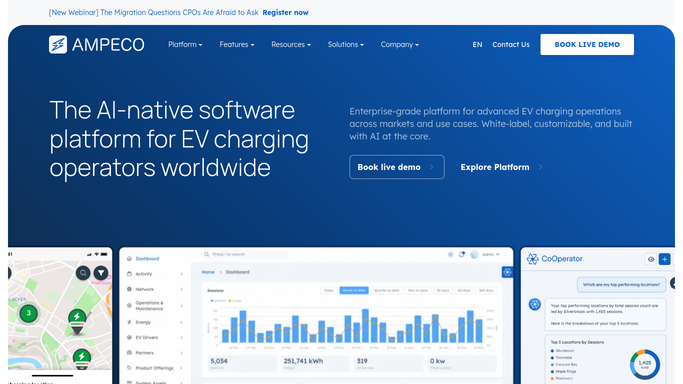
WebRun opens AMPECO to check billing account context. - Look up the billing account in AMPECO for each overdue customer
- Read recent charging session volumes and any active subscription plan linked to the account
- Use session data to give context in the chaser and flag accounts with unusually high usage and unpaid balances
Done when Each overdue invoice has AMPECO billing context added to personalise the draft.
-
3
Gmail - draft chaser email for review
gmail.com How to Automate Gmail

WebRun opens Gmail to draft chaser email for review. - Draft a polite, on-brand chaser email for each overdue invoice naming the invoice number and amount
- Reference the account's recent charging activity where it adds a relevant and professional touch
- Save every email as a Gmail draft and leave it unsent for finance team review - do not send automatically
Done when A draft chaser email sits in Gmail for every overdue invoice, ready for review and approval.
How is each run configured?
Secure by default
Connect once, stays signed in
WebRun signs in once and keeps each session in a persistent environment, so every run picks up right where it left off.
Every action is checked against this policy before it runs.
Questions, answered
Will it email customers without my approval?
No. Every chaser is saved as a Gmail draft and left unsent. Your finance team reviews and sends each one, so no customer receives a payment request without a human sign-off.
What does the chaser email say?
A short, professional reminder that names the invoice number, amount, and days overdue. WebRun can match your existing tone if you provide an example chaser email at setup.
What if an invoice is paid before the team sends the draft?
WebRun reads live QuickBooks status on every Monday run, so invoices paid before the next run are skipped. Drafts already created from a previous run should be deleted if payment arrives before you send them.
Related templates
Put this on autopilot.
Turn it on in minutes - or have our team set it up for you.