Draft root-canal recall reminders before patients go overdue
Every morning, WebRun opens TDO Software, finds patients whose recall date falls in the next 14 days, drafts a personalized SMS reminder for each via Twilio, and logs the recall list to Google Sheets so your team can review and approve before any message goes out.
- No credit card
- Under $0.01 per run
- Cancel anytime
How do I automatically draft root-canal recall reminders from TDO Software?
WebRun checks TDO Software every morning for patients whose recall date falls in the next 14 days, logs them in Google Sheets, and drafts a personalized SMS reminder for each via Twilio. No message is sent until a team member reviews and approves the batch, so patient outreach stays compliant and on-brand.
- No recall-due patient slips through without a timely outreach draft
- Staff review every message before it reaches a patient
- Patients already booked are automatically skipped
Built for endodontists · endodontic practice coordinators · dental specialty offices · endodontic recall coordinators
What does WebRun do on every run?
The exact actions WebRun takes, in order - in plain language, so you can adjust anything.
-
WebRun signs in and gets to work
Opens
wwww.tdo4endo.comin a real browser with your saved login - no setup, no API keys. -
1
TDO Software - find patients due for recall
tdo4endo.com How to Automate TDO Software
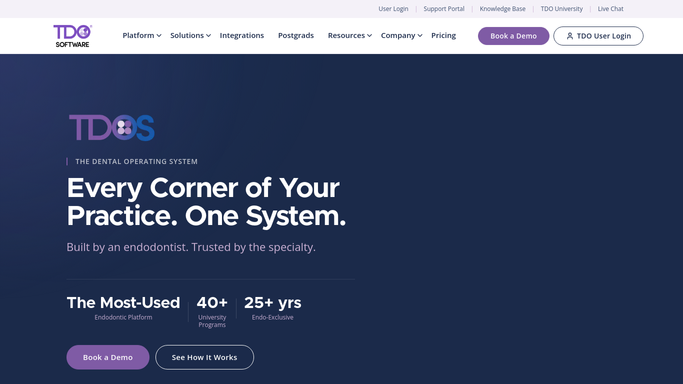
WebRun opens TDO Software to find patients due for recall. - Open TDO Software and navigate to patient recall reports
- Filter for patients whose recall date falls within the next 14 days
- Capture patient name, recall date, and last treatment type for each record
- Skip patients who already have a future appointment scheduled
Done when All recall-due patients without a scheduled appointment are identified and listed.
-
2
Google Sheets - log recall list for review
google.com How to Automate Google Sheets

WebRun opens Google Sheets to log recall list for review. - Open the Recall Due sheet
- Append each patient's recall record with name, due date, and treatment type
- Mark records that are already overdue in a separate tab for priority review
Done when The full recall list is logged in Google Sheets with overdue patients flagged.
-
3
Twilio - queue SMS drafts for human approval
twilio.com How to Automate Twilio

WebRun opens Twilio to queue SMS drafts for human approval. - Draft a short, friendly recall reminder SMS for each patient using their name and recall date
- Queue each draft in Twilio as a saved message, not yet sent
- Leave all messages in draft status for a team member to review and approve before sending
Done when Recall reminder drafts are queued in Twilio, awaiting team review and approval before any message is sent to a patient.
How is each run configured?
Secure by default
Connect once, stays signed in
WebRun signs in once and keeps each session in a persistent environment, so every run picks up right where it left off.
Every action is checked against this policy before it runs.
Questions, answered
Will it text patients without staff approval?
No. Every recall reminder is drafted and queued in Twilio as a saved message. A team member must review and approve each one before any SMS is sent to a patient.
What if a patient already booked a follow-up appointment?
WebRun checks TDO Software for existing future appointments each run and skips any patient who already has one scheduled, so you never send a recall reminder to someone who is already in the system.
Can I adjust the recall window beyond 14 days?
Yes. The recall look-ahead window is a setting you configure when setting up WebRun. Common options are 7, 14, or 30 days depending on how far ahead your practice likes to reach out.
Related templates
Put this on autopilot.
Turn it on in minutes - or have our team set it up for you.