Chase the diver medical form before a course starts
Every morning, WebRun opens Diversdesk, finds students enrolled in a course starting soon who have not completed the diver medical questionnaire, logs each to a Google Sheet, and drafts a courteous reminder email in Gmail asking them to complete the form before class. Staff review and send.
- No credit card
- Under $0.01 per run
- Cancel anytime
How do I chase students for a missing diver medical form before a course?
WebRun checks Diversdesk every morning for students in upcoming courses who have not completed the diver medical questionnaire. It logs each to a Google Sheet by start date and drafts a courteous reminder email in Gmail that names no medical details. Staff review and send, so no student information leaves without approval.
- No course starts with a student's medical form quietly missing
- Reminder drafts are ready within minutes, no medical details exposed
- Completed forms drop off the chase list from live Diversdesk data
Built for dive schools · scuba instructors · dive centers · course directors
What does WebRun do on every run?
The exact actions WebRun takes, in order - in plain language, so you can adjust anything.
-
WebRun signs in and gets to work
Opens
app.diversdesk.comin a real browser with your saved login - no setup, no API keys. -
1
Diversdesk - find students missing the medical form
diversdesk.com How to Automate Diversdesk
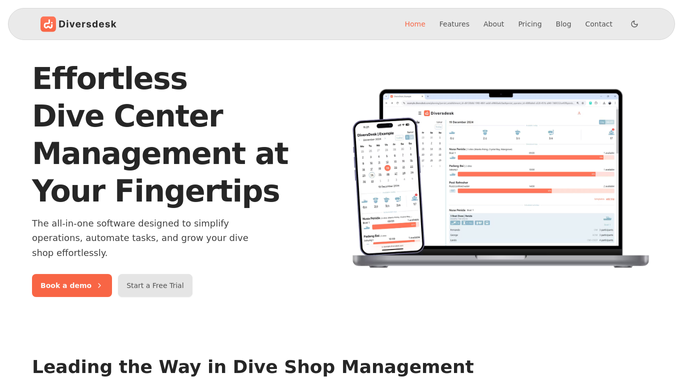
WebRun opens Diversdesk to find students missing the medical form. - Open Diversdesk and list courses starting in the next 5 days
- For each enrolled student, check whether the diver medical questionnaire is marked complete
- Capture the student name, contact, course, and start date for anyone with the form outstanding
- Skip students whose medical form is already on file
Done when Every enrolled student missing the medical form before their course is listed.
-
2
Google Sheets - log the outstanding forms
google.com How to Automate Google Sheets

WebRun opens Google Sheets to log the outstanding forms. - Open the Medical Form Chase sheet
- Add each student with an outstanding form as a row with their course and start date
- Order the list by start date so the nearest courses surface first
- Remove students whose form has since been completed
- Record only that the form is outstanding, never any answers from the questionnaire
Done when The chase sheet lists every outstanding medical form by course start date.
-
3
Gmail - draft polite reminders
gmail.com How to Automate Gmail

WebRun opens Gmail to draft polite reminders. - Draft a polite reminder email to each student asking them to complete the diver medical questionnaire before their course
- Keep the message to the request and the deadline, with no medical details in it
- Leave every email unsent in Gmail for staff to review and send. Do not send any reminder automatically.
Done when A reminder email is drafted and waiting for review for each student.
How is each run configured?
Secure by default
Connect once, stays signed in
WebRun signs in once and keeps each session in a persistent environment, so every run picks up right where it left off.
Every action is checked against this policy before it runs.
Questions, answered
Will it email students without a person reviewing it?
No. Every reminder is saved as a Gmail draft for staff to review and send. Nothing reaches a student until someone clicks send, so the wording and timing stay under your control.
Does it read or share the medical answers?
No. It only checks whether the diver medical questionnaire is marked complete in Diversdesk. It never records or sends the answers themselves, and the reminder email contains no medical details.
How does it know which forms are still outstanding?
It reads the live completion status in Diversdesk each morning for students in upcoming courses. Anyone whose medical form is already on file is skipped automatically.
Related templates
Put this on autopilot.
Turn it on in minutes - or have our team set it up for you.