Chase missing proof-of-delivery documents before invoicing stalls
Every morning, WebRun opens Truckbase, finds loads marked delivered but missing a signed proof-of-delivery, logs each gap to a Google Sheet, and drafts a Twilio text reminder to the driver for your approval before anything is sent.
- No credit card
- Under $0.01 per run
- Cancel anytime
How do I automatically chase missing proof-of-delivery documents from drivers?
WebRun opens Truckbase each morning, finds every delivered load still missing a signed proof-of-delivery, logs the gaps to a Google Sheet, and drafts a Twilio text reminder for each driver. You review and approve the drafts before anything is sent, so your POD collection stays on track without manual checking.
- No delivered load sits without a POD reminder for more than one business day
- Invoicing is no longer stalled by missing documents
- Dispatchers save manual checking time each morning
Built for freight dispatch services · trucking carriers · owner-operator dispatchers · TMS administrators
What does WebRun do on every run?
The exact actions WebRun takes, in order - in plain language, so you can adjust anything.
-
WebRun signs in and gets to work
Opens
app.truckbase.comin a real browser with your saved login - no setup, no API keys. -
1
Truckbase - find delivered loads missing POD
truckbase.com How to Automate Truckbase
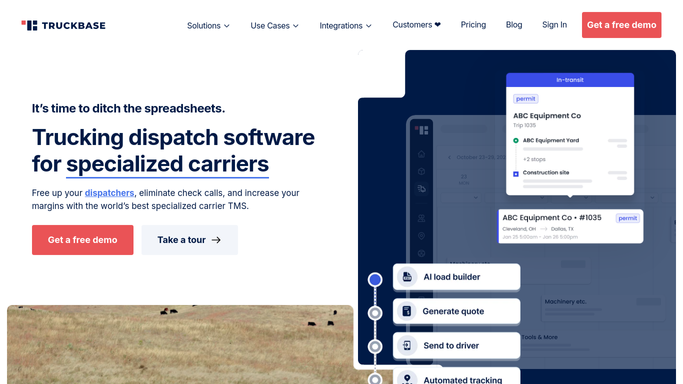
WebRun opens Truckbase to find delivered loads missing POD. - Open Truckbase and filter loads to status Delivered
- Identify loads where no BOL or POD document has been uploaded
- Capture the load number, driver name, driver phone, delivery date, and customer name for each gap
Done when Every delivered load missing a POD is listed with its details.
-
2
Google Sheets - log each gap to the chase sheet
google.com How to Automate Google Sheets

WebRun opens Google Sheets to log each gap to the chase sheet. - Open the POD chase log sheet
- Append a new row for each missing POD with load number, driver, customer, and delivery date
- Mark rows already actioned in prior runs so duplicates are skipped
Done when All new POD gaps are logged in the sheet.
-
3
Twilio - draft reminder text for driver
twilio.com How to Automate Twilio

WebRun opens Twilio to draft reminder text for driver. - Draft a short text to each driver asking them to upload the signed POD in Truckbase
- Include the load number and delivery date in the message
- Queue the draft for your review and approval. Do not send without human sign-off
Done when A draft reminder is queued for every driver with a missing POD.
How is each run configured?
Secure by default
Connect once, stays signed in
WebRun signs in once and keeps each session in a persistent environment, so every run picks up right where it left off.
Every action is checked against this policy before it runs.
Questions, answered
Will it text drivers automatically?
No. WebRun drafts the text and queues it for your review. Nothing is sent until you approve it, so you stay in control of every customer-facing or driver-facing message.
How does it know which PODs are missing?
It reads the document status for each delivered load in Truckbase. If no BOL or POD scan has been attached, the load is flagged. Loads already chased in a prior run are skipped.
What happens once a driver uploads the POD?
On the next run, Truckbase shows the document as attached, so that load is no longer flagged and does not appear in the chase list or trigger a new draft.
Related templates
Put this on autopilot.
Turn it on in minutes - or have our team set it up for you.