Get a weekly on-time delivery performance report without manual data pulls
Every Monday, WebRun opens Truckbase, reviews all loads completed in the prior week, compares actual delivery to scheduled delivery, calculates the on-time percentage, logs the results to a Google Sheet, and posts a performance summary to your Slack channel.
- No credit card
- Under $0.01 per run
- Cancel anytime
How do I automatically generate a weekly on-time delivery performance report?
WebRun reviews all loads completed in Truckbase over the past week every Monday, compares actual delivery times to scheduled times, and calculates your on-time percentage. It logs per-load detail to a Google Sheet and posts a performance summary to Slack so your team starts the week with clear delivery data.
- Weekly on-time percentage is calculated automatically without manual data pulls
- Late lanes and customers are identified each week for follow-up
- Performance trends are tracked in a running Google Sheet log
Built for freight dispatch services · trucking carriers · operations managers · fleet owners
What does WebRun do on every run?
The exact actions WebRun takes, in order - in plain language, so you can adjust anything.
-
WebRun signs in and gets to work
Opens
app.truckbase.comin a real browser with your saved login - no setup, no API keys. -
1
Truckbase - pull completed load delivery times
truckbase.com How to Automate Truckbase
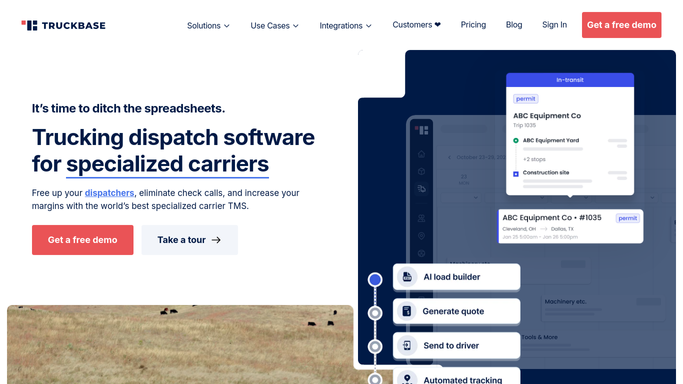
WebRun opens Truckbase to pull completed load delivery times. - Open Truckbase and filter loads completed in the last seven days
- Read the scheduled delivery date and the actual delivery date for each load
- Mark each load as on-time or late based on the comparison
- Note the customer and lane for each late delivery
Done when Every completed load from the past week is classified as on-time or late.
-
2
Google Sheets - log on-time vs. late per load
google.com How to Automate Google Sheets

WebRun opens Google Sheets to log on-time vs. late per load. - Open the on-time performance log sheet
- Append a weekly summary row with the date range, total loads, on-time count, late count, and on-time percentage
- Add a detail tab row for each late load with customer, lane, and delay in hours
Done when This week's on-time performance is logged with overall and per-load detail.
-
3
Slack - post weekly performance summary
slack.com How to Automate Slack

WebRun opens Slack to post weekly performance summary. - Post the weekly on-time percentage and load totals to the operations Slack channel
- List the top late lanes or customers to watch
- Include a link to the full Google Sheet for detail
Done when The team has this week's on-time performance report in Slack.
How is each run configured?
Secure by default
Connect once, stays signed in
WebRun signs in once and keeps each session in a persistent environment, so every run picks up right where it left off.
Every action is checked against this policy before it runs.
Questions, answered
What counts as an on-time delivery?
A load is on-time if the actual delivery date matches or falls before the scheduled delivery date recorded in Truckbase. You can adjust this definition during setup if your contracts allow a grace period.
Can it break down performance by customer or lane?
Yes. The Google Sheet detail tab includes a row for every late load with customer name, lane, and delay in hours, so you can spot which lanes or clients drive your late deliveries.
Does it notify customers about late deliveries?
No. The report is internal only. WebRun posts to your Slack channel and logs to your sheet. Any communication to customers about delays is handled by your team.
Related templates
Put this on autopilot.
Turn it on in minutes - or have our team set it up for you.