Back up your draw.io diagrams every week
Every Friday, WebRun checks draw.io for diagrams edited that week, exports a dated copy of each into an organized Google Drive backup folder, and texts the ops lead a same-day confirmation once the backup is complete.
- No credit card
- Under $0.01 per run
- Cancel anytime
How do I automatically back up my draw.io diagrams every week?
WebRun checks your draw.io library every Friday for any diagram edited that week. It exports a dated copy of each one into an organized Google Drive backup folder, then texts you a same-day confirmation with the count backed up, so your diagrams stay recoverable without anyone remembering to export them manually.
- Every changed diagram gets a dated backup copy automatically
- The ops lead gets same-day confirmation the backup ran
- Old diagram versions stay recoverable in Drive
Built for IT teams · business analysts · product teams · technical writers
What does WebRun do on every run?
The exact actions WebRun takes, in order - in plain language, so you can adjust anything.
-
WebRun signs in and gets to work
Opens
app.diagrams.netin a real browser with your saved login - no setup, no API keys. -
1
draw.io - find diagrams changed this week
diagrams.net
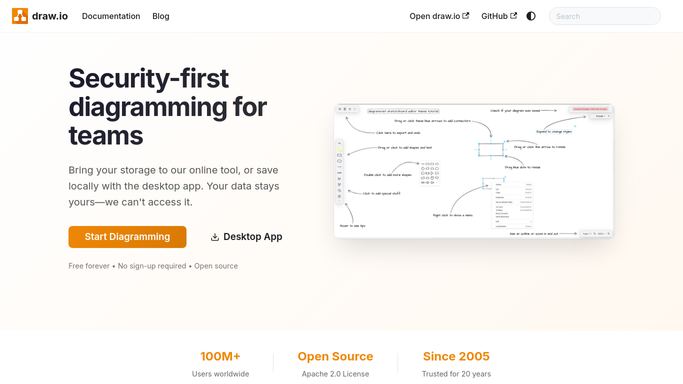
WebRun finds diagrams changed this week. - Open the team's diagram library
- List every diagram edited since the last backup
- Note each one's title and last-edited date
Done when Every diagram changed this week is listed.
-
2
Google Drive - archive a dated copy
drive.google.com How to Automate Google Drive

WebRun archives a dated copy to Google Drive. - Export a copy of each changed diagram
- Save it into a dated backup folder
- Keep the folder organized by week
Done when A dated archive copy exists for every changed diagram.
-
3
Twilio - text a backup confirmation
twilio.com How to Automate Twilio

WebRun texts a backup confirmation. - Count how many diagrams were backed up
- Text the ops lead a short confirmation with the count and folder link
Done when The ops lead has a same-day text confirming the backup ran.
How is each run configured?
Secure by default
Connect once, stays signed in
WebRun signs in once and keeps each session in a persistent environment, so every run picks up right where it left off.
Every action is checked against this policy before it runs.
Questions, answered
Does it delete or overwrite anything in draw.io?
No. WebRun only reads and exports copies of your diagrams. Nothing in your draw.io library is changed, moved, or deleted.
Where do the backup copies go?
Into a dated folder in Google Drive, organized by week, so you can always find last month's version of any diagram.
What if no diagrams changed that week?
It skips the archive step and still sends a short text confirming there was nothing new to back up.
Related templates
Put this on autopilot.
Turn it on in minutes - or have our team set it up for you.